Which shows are live, what money is late, and where the trucks are.
You are not calling cues and you are not pulling cases. You need the company in one view before nine, and you need to be able to hand a producer a show without explaining where anything lives.
You own the shop. Somewhere between five and fifty people work for you, most of them freelance, and on any given week three events are in advance, one is loading in and two are waiting to be invoiced. Nobody has to tell you what a show costs — you need to know which one is quietly costing more than it was quoted, while there is still time to do something about it.
- You read the company, not one event — every screen here rolls up across shows
- You are the escalation path, so you need what is wrong ranked, not a feed
- You sign the invoices, so A/R is a daily number rather than a monthly report
Command Center
/dashboard
One screen, ranked. Ops Alerts is the top of it: double-booked crew are named with both clashing events, and the money heads-up carries the number and the invoices behind it. Under that, four figures — outstanding, overdue, received, open pipeline — computed company-wide rather than per event.
What this module does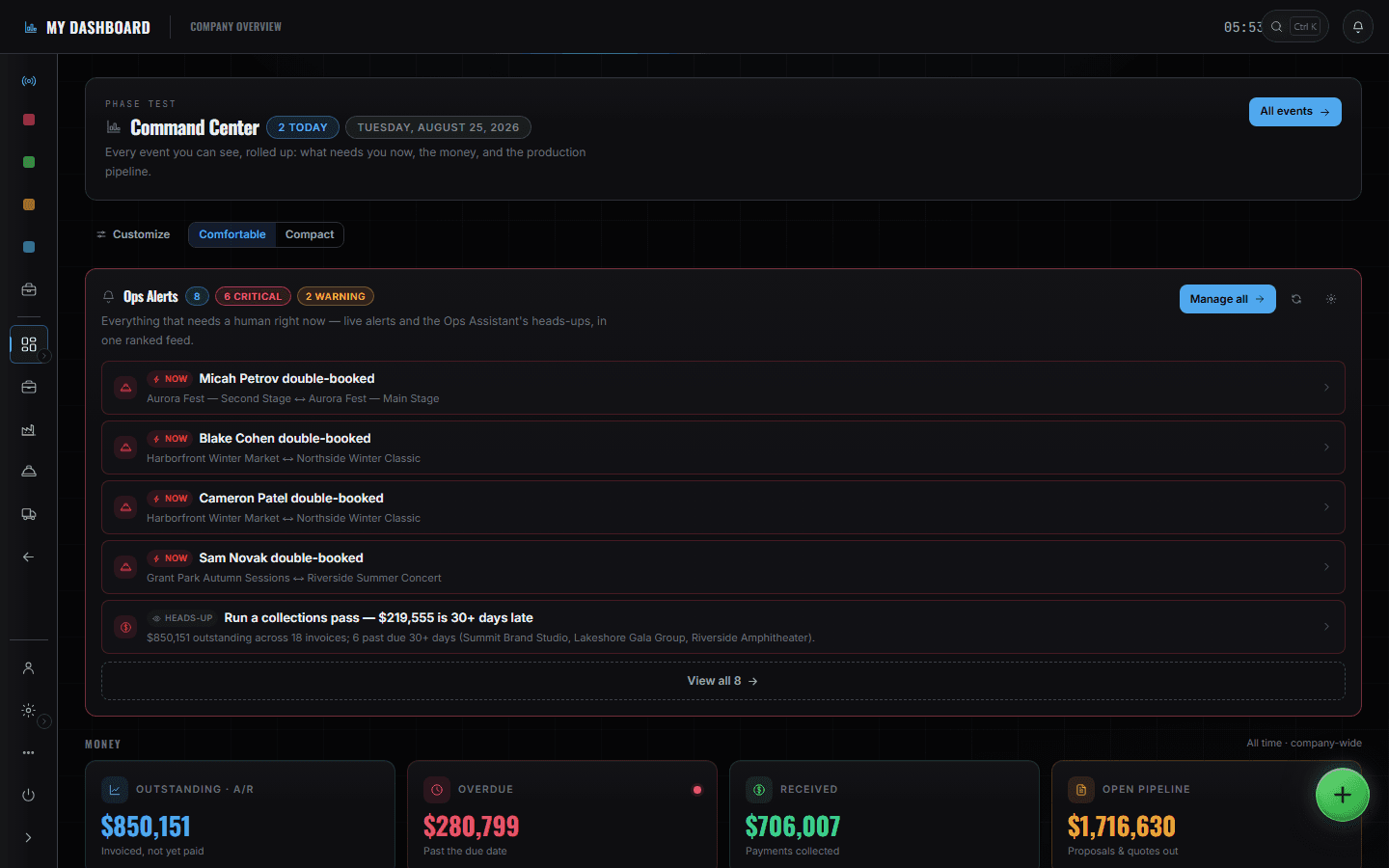
5 screens, and what each one is for.
Pipeline
/shows/[showId]/pipeline
Proposals through debrief in five stages, with the same numbers as the board underneath. Flipping an event's stage moves it here — there is no second place to keep the pipeline in step with.
Read the module page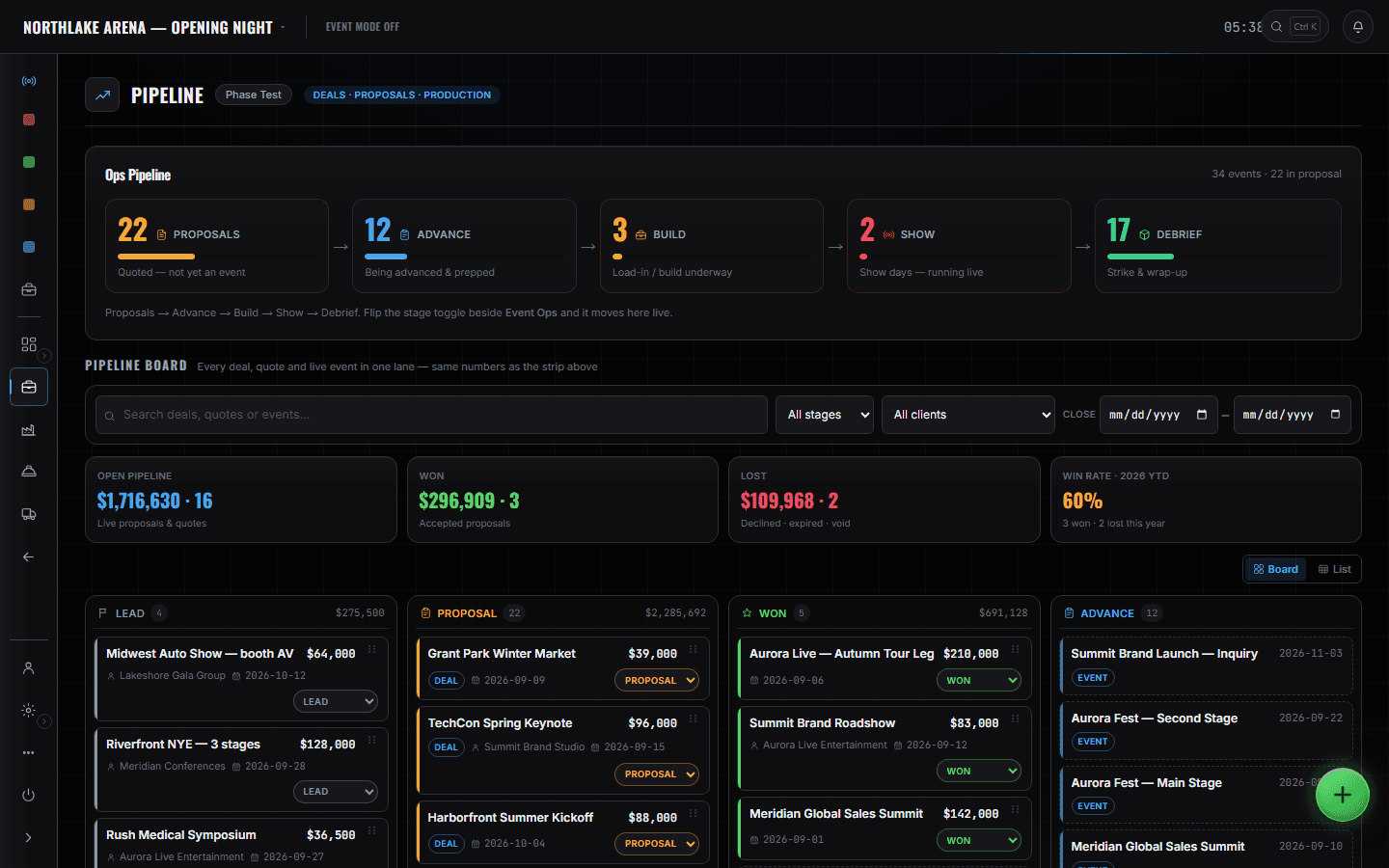
Invoices
/shows/[showId]/invoices
A/R with real aging buckets — current, 1–30, 31–60, 60+ — and every document's state on the row. Drafts that were never sent are counted separately from money that is genuinely late, so the overdue figure means what it says.
Read the module page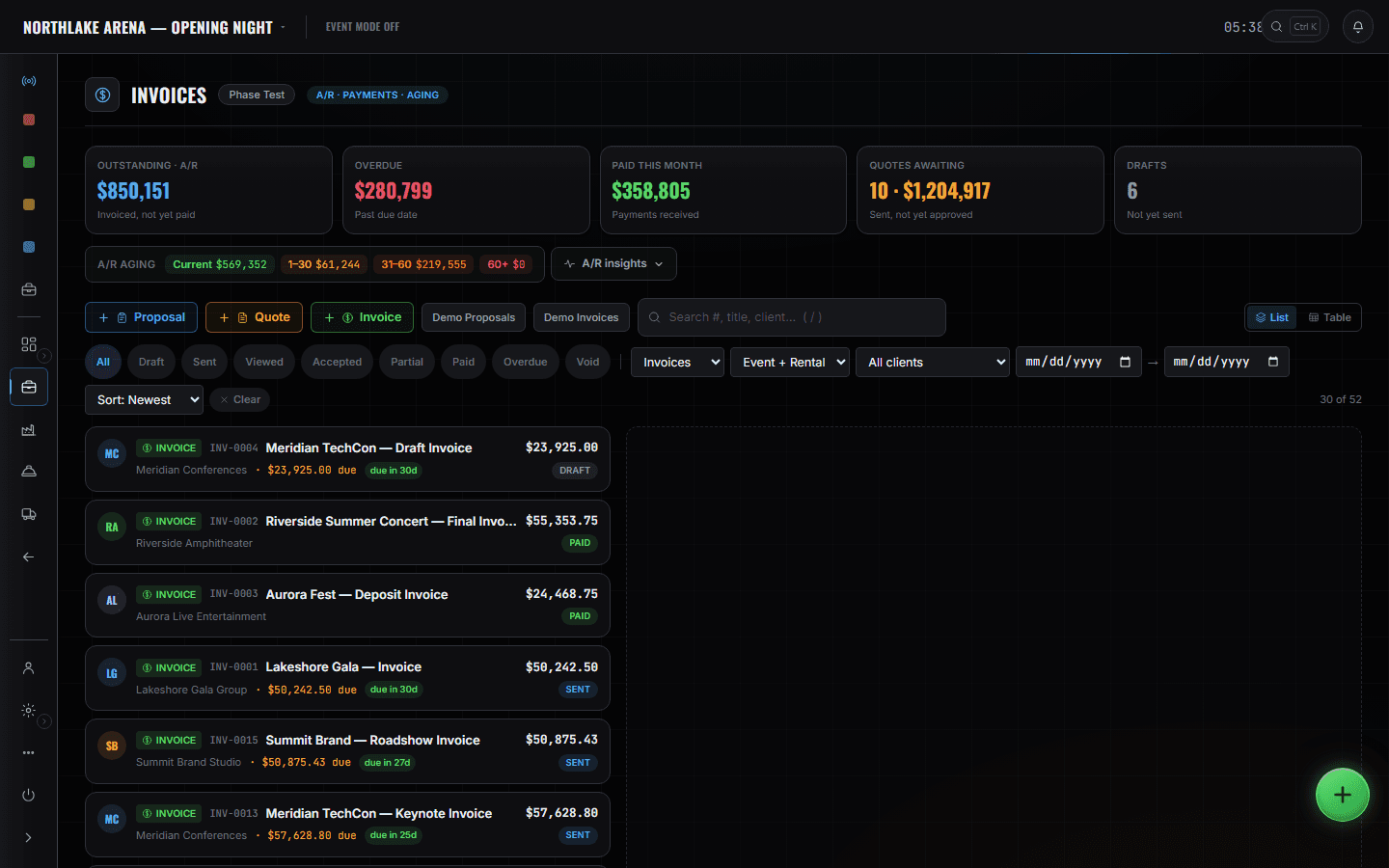
Analytics
/shows/[showId]/analytics
Operations, financial, crew, fleet, gear and profitability in one place. The recommendations at the top name the pattern and the data points behind it — a collections pass, four movements past their depart time — rather than scoring you out of a hundred.
Read the module page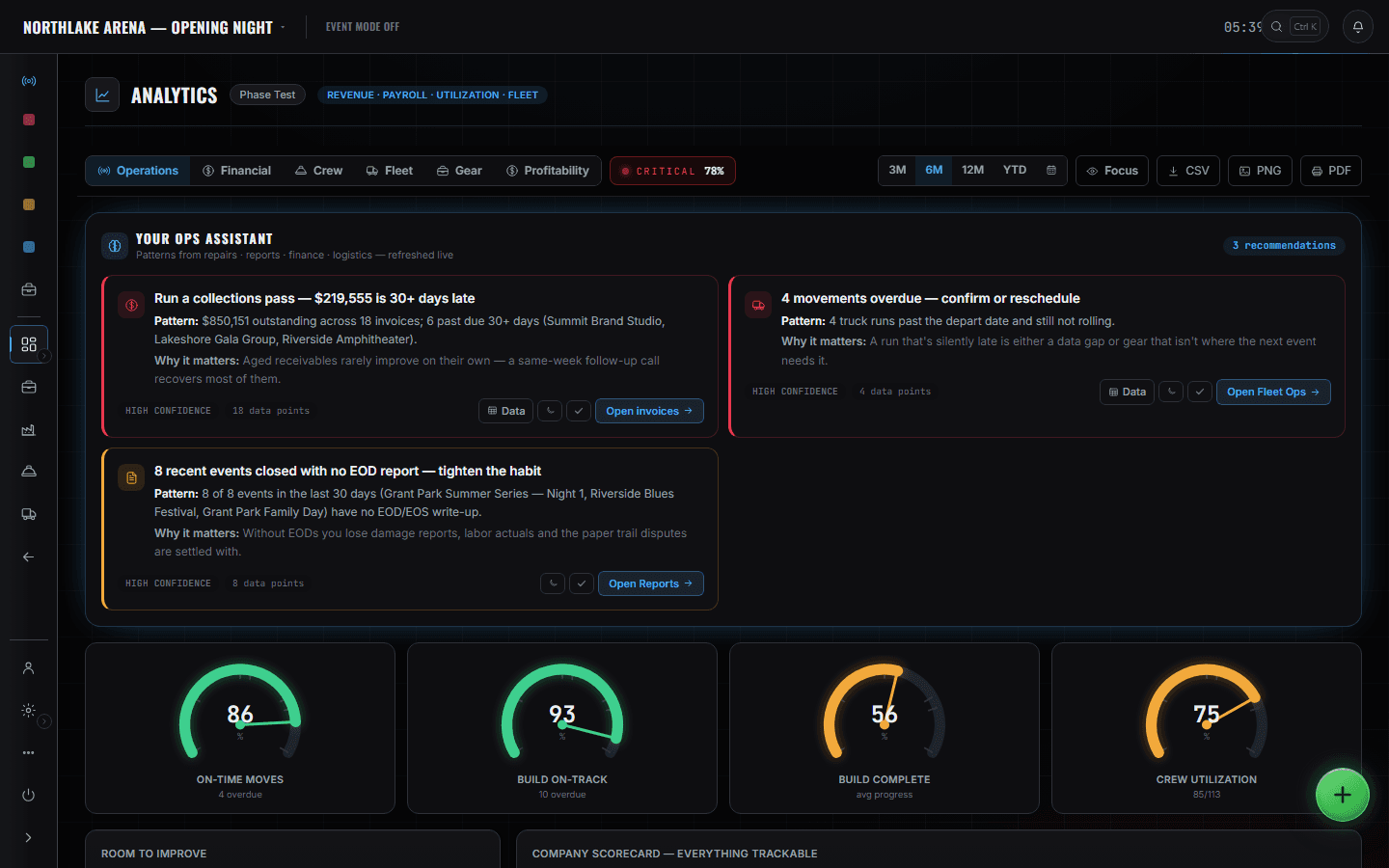
CrewOps roster
/shows/[showId]/crewops
The whole roster against a date window, with availability computed from the assignments that already exist. Available, on show and conflict are counts you can act on, not a spreadsheet you maintain.
Read the module page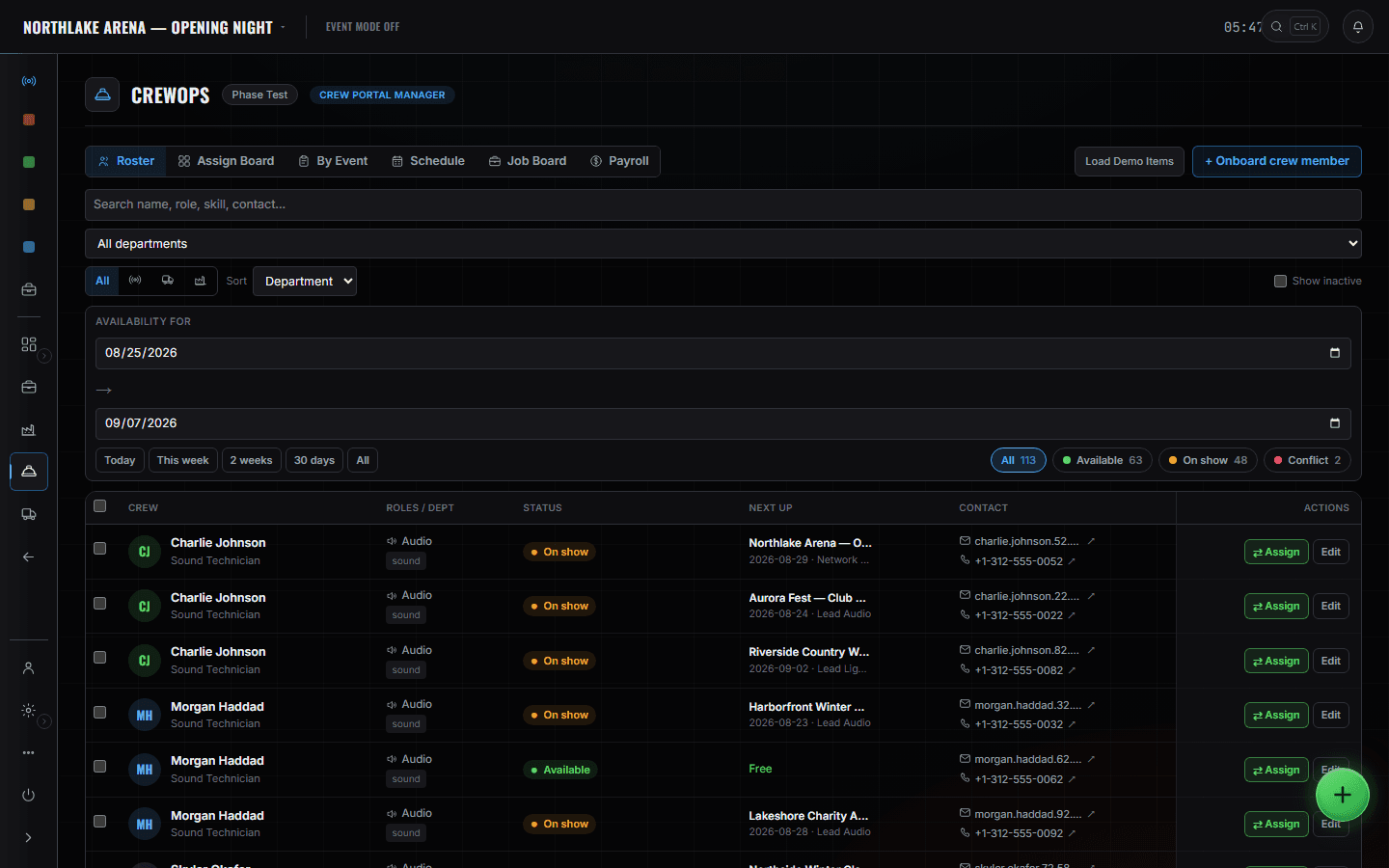
Clients & Vendors
/shows/[showId]/clients
The company directory with balances on it. One search covers companies, contacts, cities, event names and notes, so 'who was the rigging vendor on the Harborfront job' is a question with an answer.
Read the module page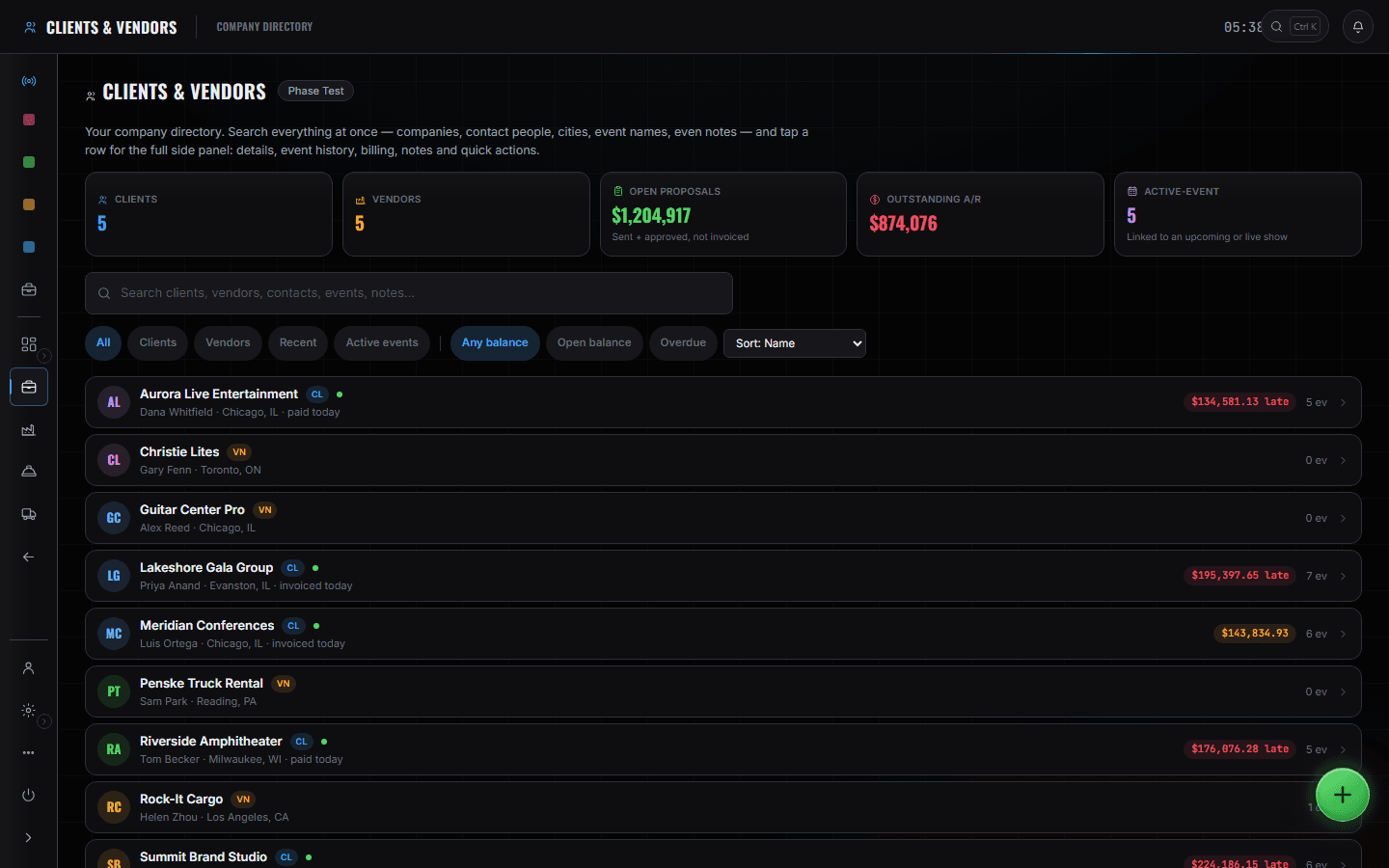
The boundary, before you find it yourself
Half of these are somebody else's screen and half of them are things this software does not do at all. Both are worth knowing now rather than at 16:00 on a load-in day.
The call
Standby and GO belong to whoever has taken the call. You can watch a show run; you would not take the desk off your producer mid-act.
Pull sheets and case packing
That is the shop's screen and it is scan-driven. Your read of it is the number on the Command Center.
Patch, plots and dept sheets
Department heads own their sheets. You see that they exist and that they are 3 of 5 done — not what is on line 12.
Per-module permissions
They are not built. Roles are company-wide today: a seat that can reach the shop can reach all of it. Said plainly because it will matter on the day you hire a bookkeeper.
Load-in, show, load-out.
- Monday, 8:40Read the alerts before the coffee. Four double-bookings, both clashing events named on each.Command Center
- Monday, 9:00Chase the two invoices that crossed 30 days. The list is already filtered to them.SalesOps · Invoices
- TuesdayMove the won proposal into advance and hand it to a producer. The pipeline count moves with it.SalesOps · Pipeline
- Load-in dayCheck nothing is blocked — one build item is, and it names the owner.Build Ops · Build Schedule
- Show dayWatch, do not touch. The caller has the desk.Show Ops · Show Call
- Load-outLabour and expenses are already on the event; the margin needs the invoice, not a rebuild.Breakdown · Finance
- FridayUtilisation and profitability across the month, exported if it is going to a partner.Analytics