Call the show, and change it while it is running.
The rundown is held on the server, so an edit reaches every screen on the show without anyone refreshing. Standby arms and warns the room; the separate GO is what puts a cue on air.
You are the person the venue emails, the crew asks, and the client calls. You hold the advance for three weeks, then you hold the call for four hours — and the second half only works if the first half was done on the same record everyone else is reading.
- You own the event record from the deal landing to the debrief
- You rewrite the back half of the show while the front half is on air
- Everything you change has to reach forty phones without a reload
Event Details
/shows/[showId]/advance/event-details
The event's own facts first — name, type, talent, attendance, the goal you were given. It autosaves, and when the sheet and the venue advance disagree about the venue it says so and offers to reconcile rather than quietly keeping two answers.
What this module does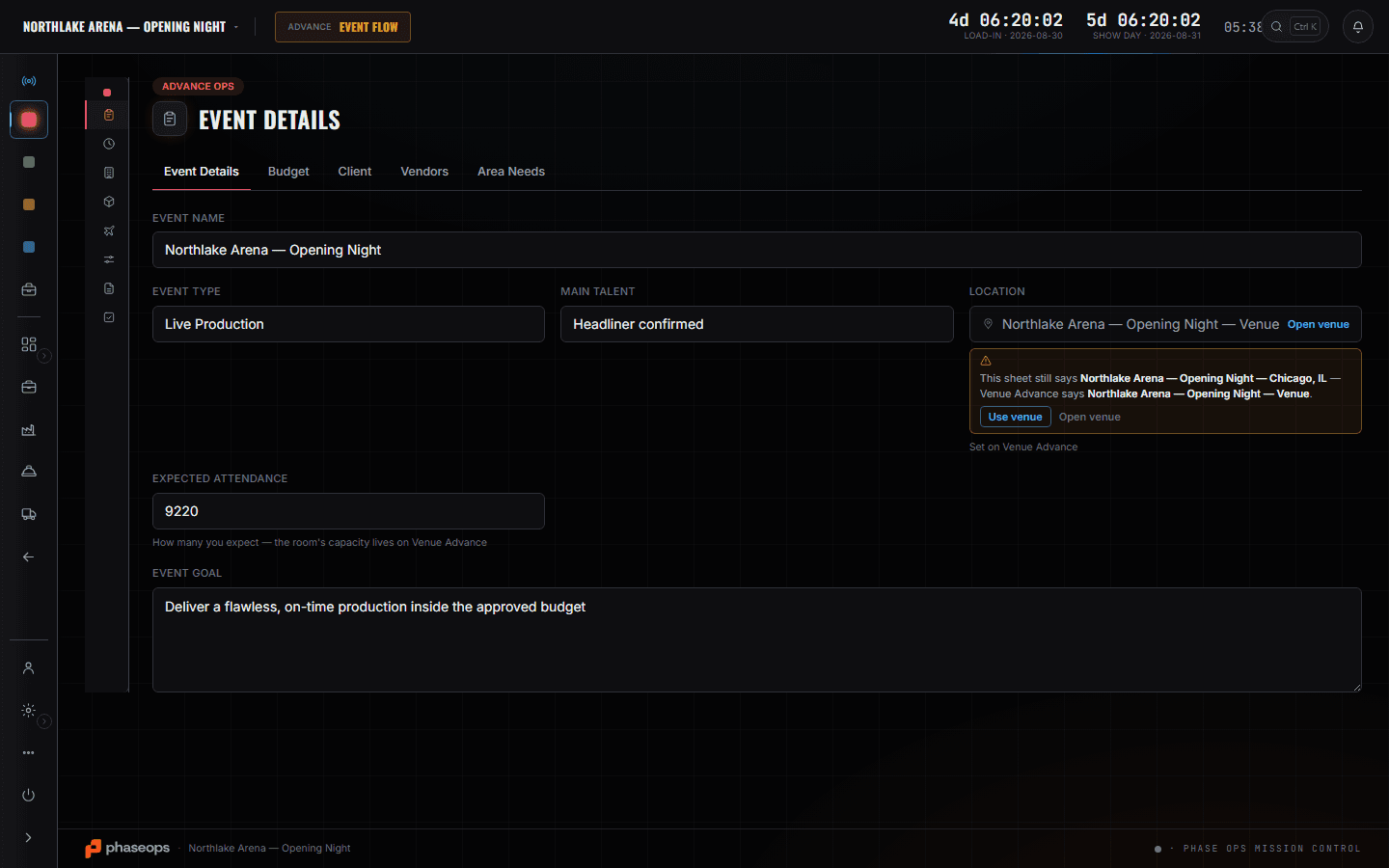
7 screens, and what each one is for.
Venue Advance
/shows/[showId]/advance/venue-advance
One sheet the venue and the shop both answer: venue, capacity, house contacts, production spec, dock and facilities. A colleague's edit appears while you are looking at it.
Read the module page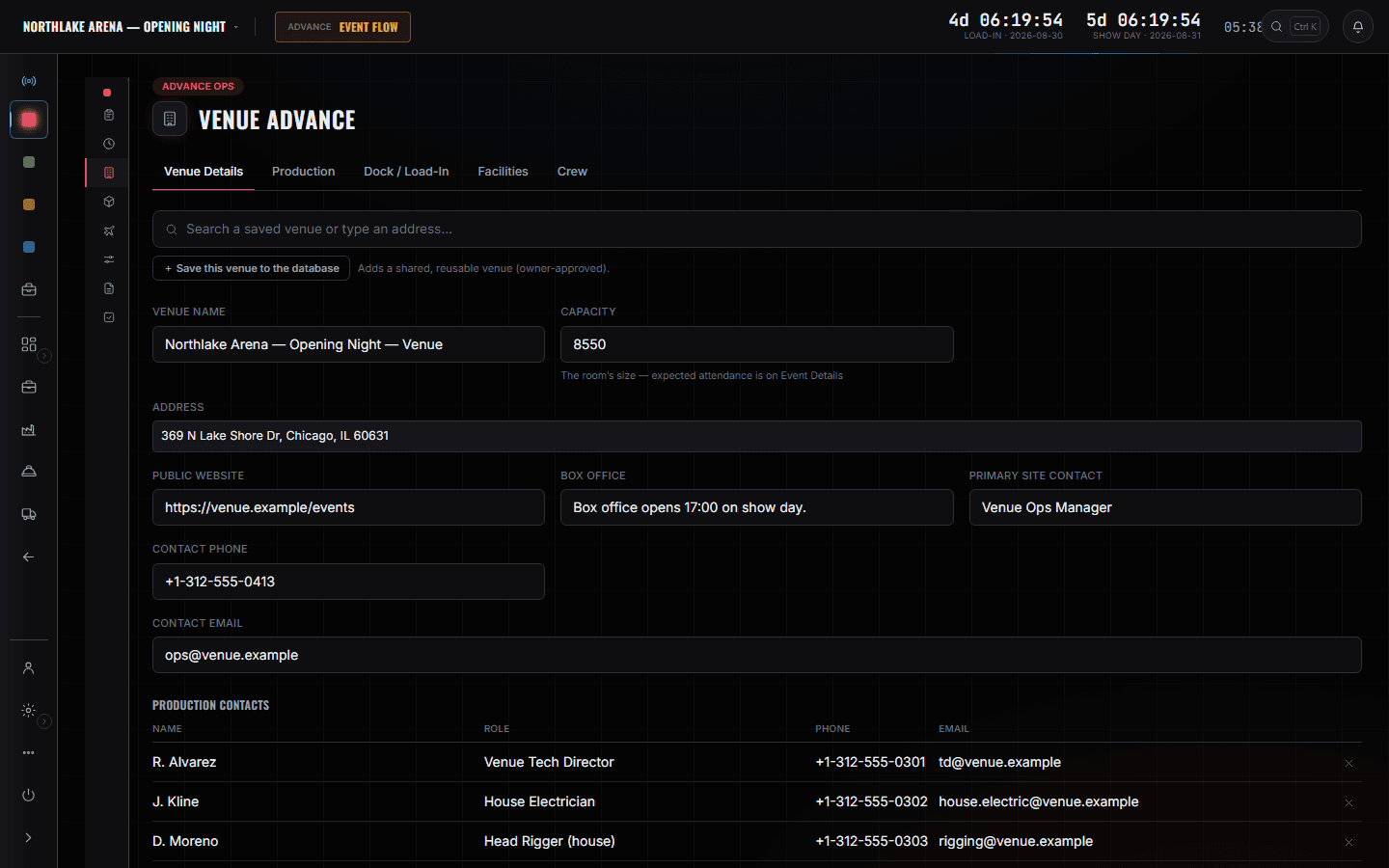
Schedules
/shows/[showId]/advance/schedules
Every schedule for the event in one place — the run of day, travel movements and the multi-day span. Tick rows to move them together, then retime one and the rest follow by the same amount.
Read the module page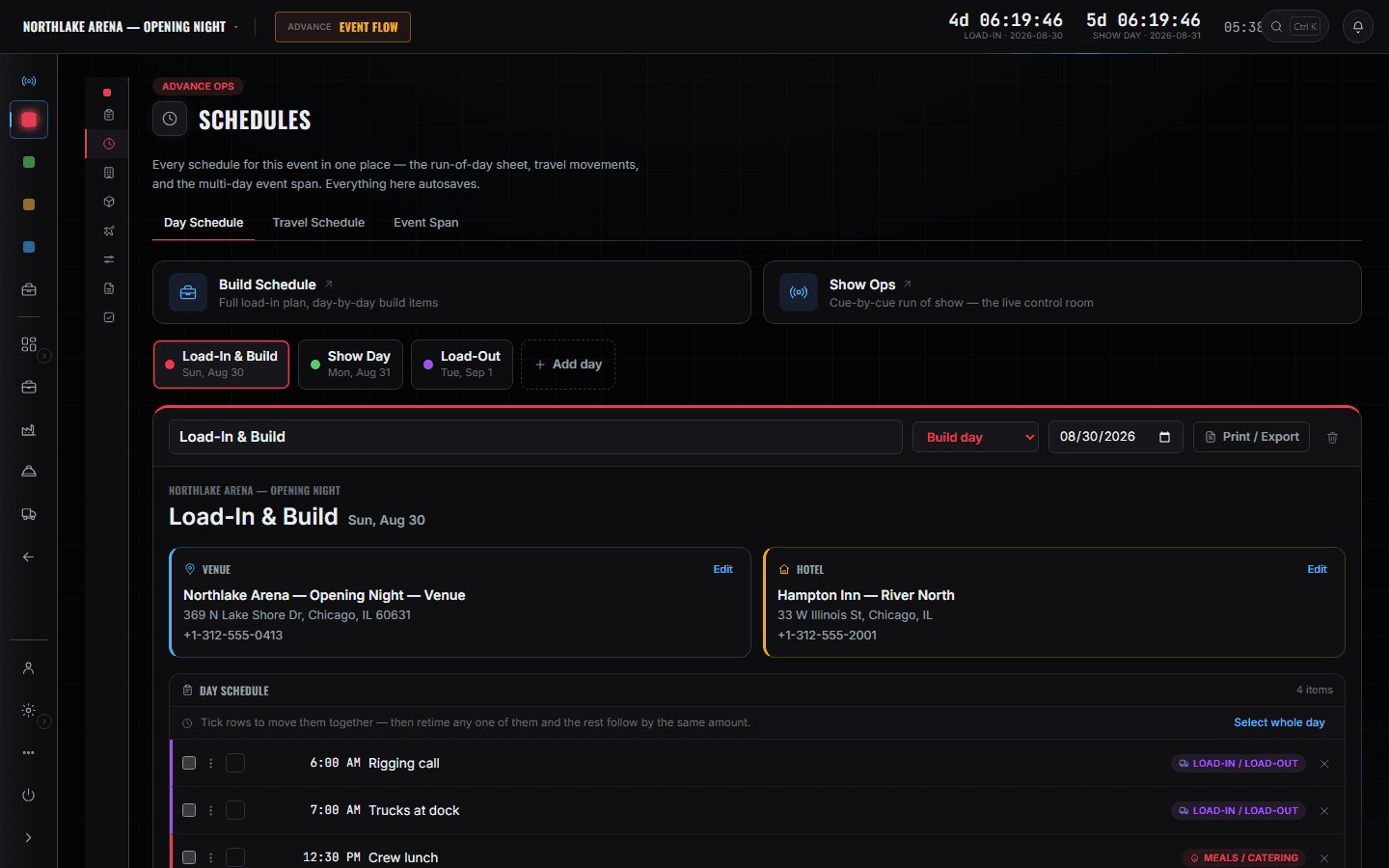
Tasks
/shows/[showId]/advance/tasks
The advance's own progress, tracked from the other tabs rather than typed in twice: flights booked, hotels assigned, creds issued, venue advance complete. The checklist underneath is yours.
Read the module page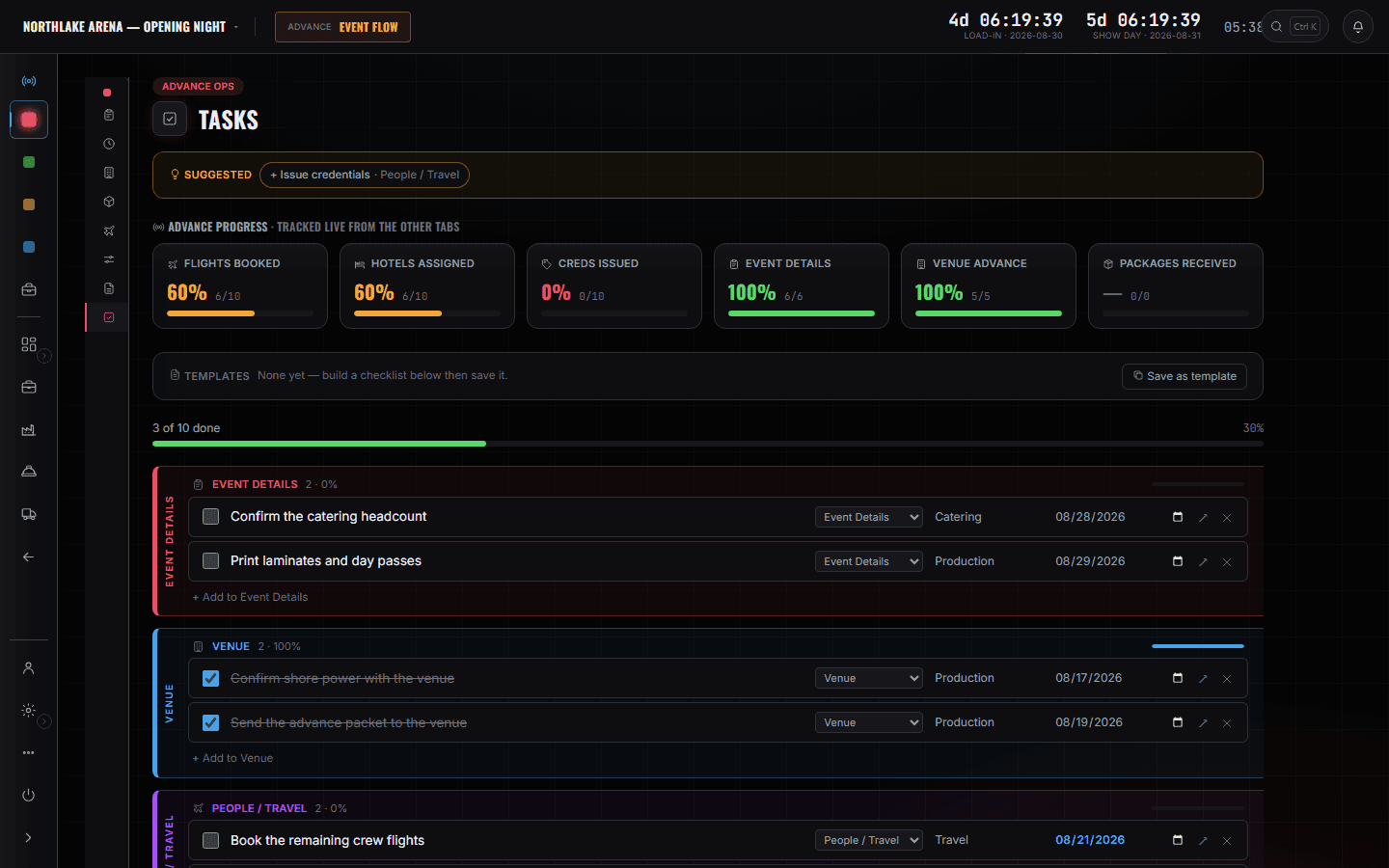
CrewOps — By Event
/shows/[showId]/crewops
Positions for this show as a board: what is needed, what is filled, what is open. Fill shows only people actually free that day, and an overlapping date on another show names the clashing event before the assignment writes.
Read the module page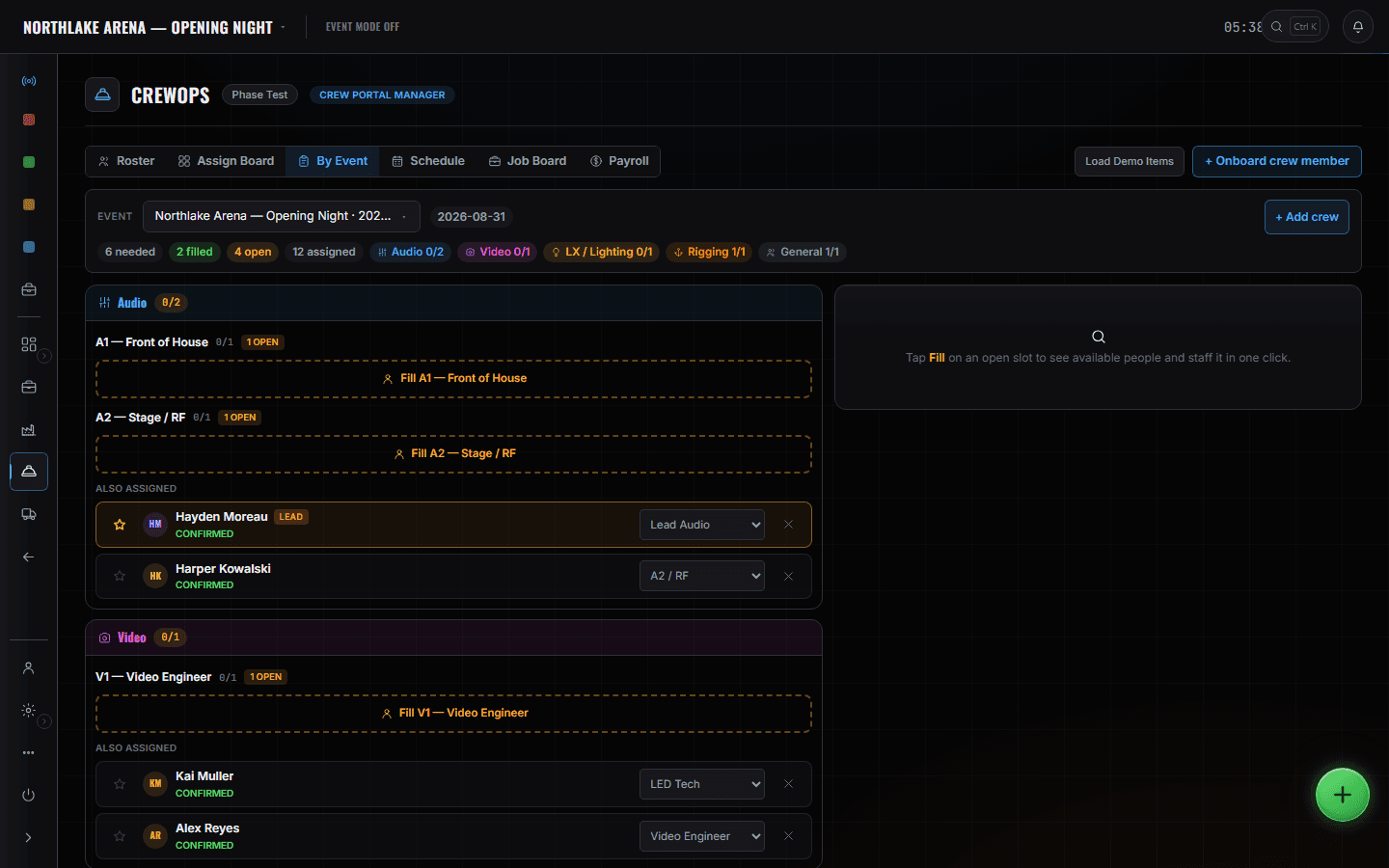
Show Ops — Edit Mode
/shows/[showId]/flow
Blocks, segments and the departments tagged on each cue. That tagging is what lets a crew phone later show one department its own next cue instead of the whole list — and Edit Mode is the only mode that will write to a rundown other than the live one.
Read the module page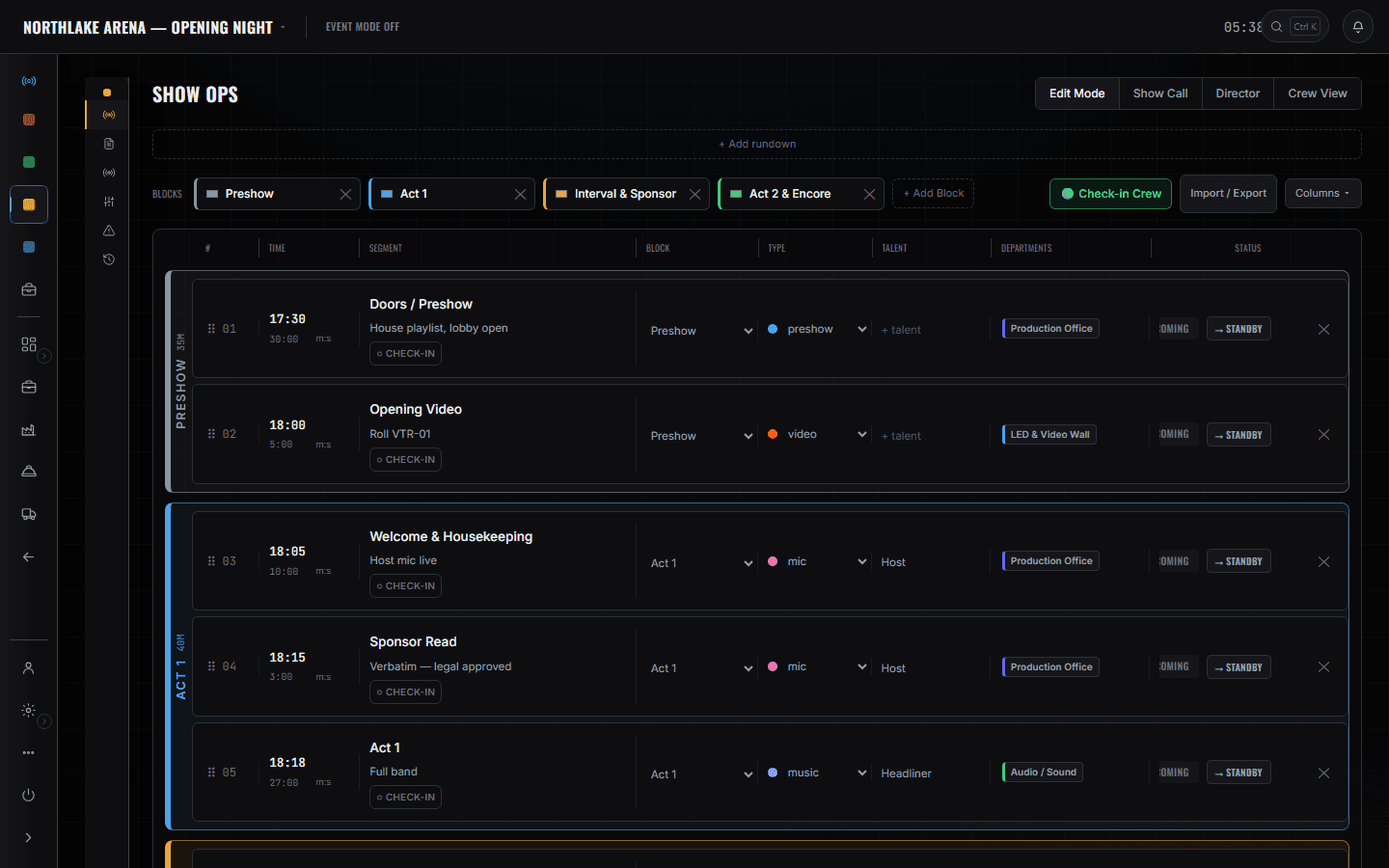
Show Ops — Show Call
/shows/[showId]/flow
Taking the call is a deliberate act, recorded in the database: one caller at a time, decided there rather than in a browser tab. Standby arms the next cue and warns the room; GO is a separate press.
Read the module page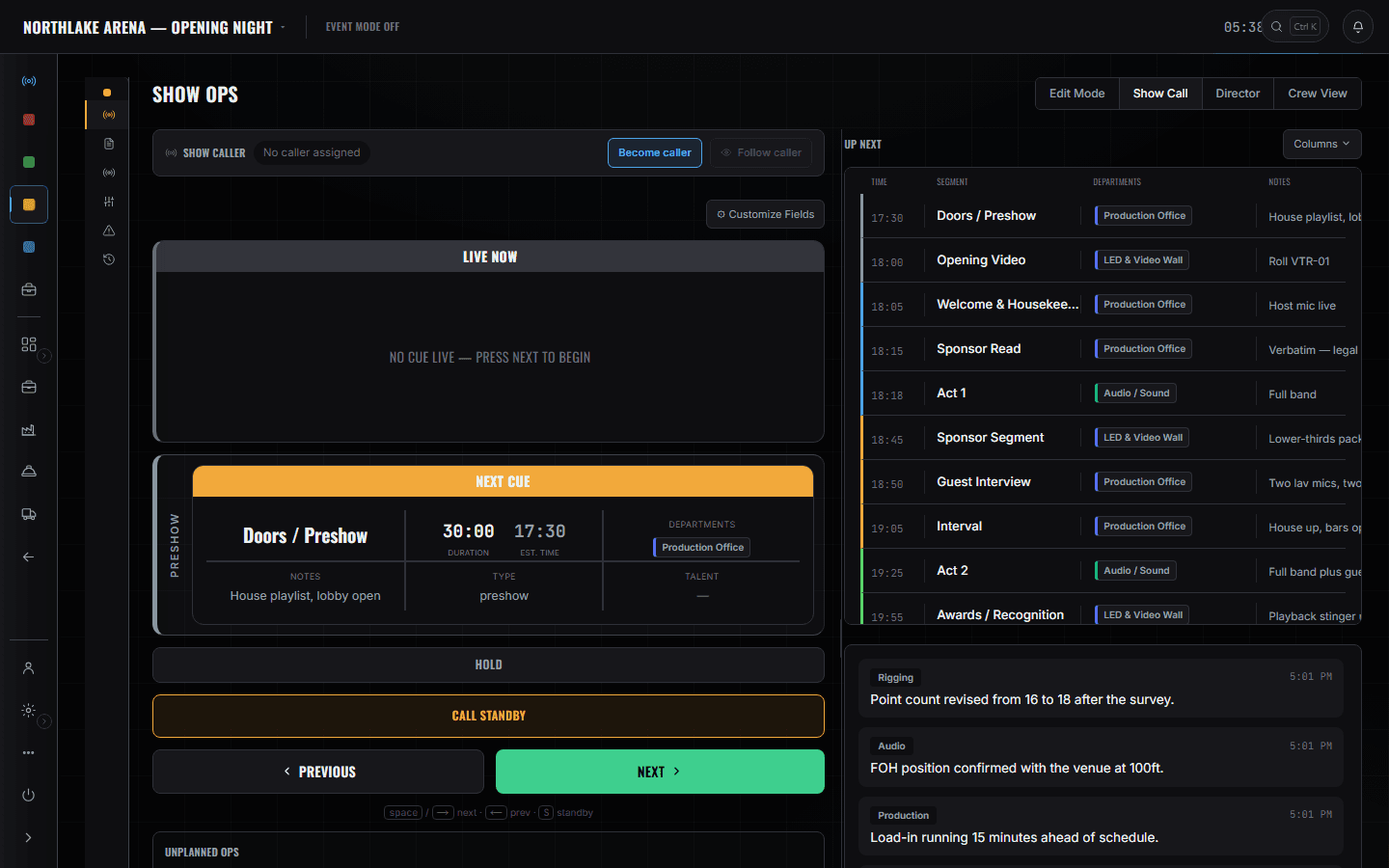
Finance
/shows/[showId]/finance
Labour, expenses and vendor invoices land on the same record as the work — hands, call, out, rate and overtime per line. Margin is computed pre-tax; sales tax shows as a passthrough rather than as revenue.
Read the module page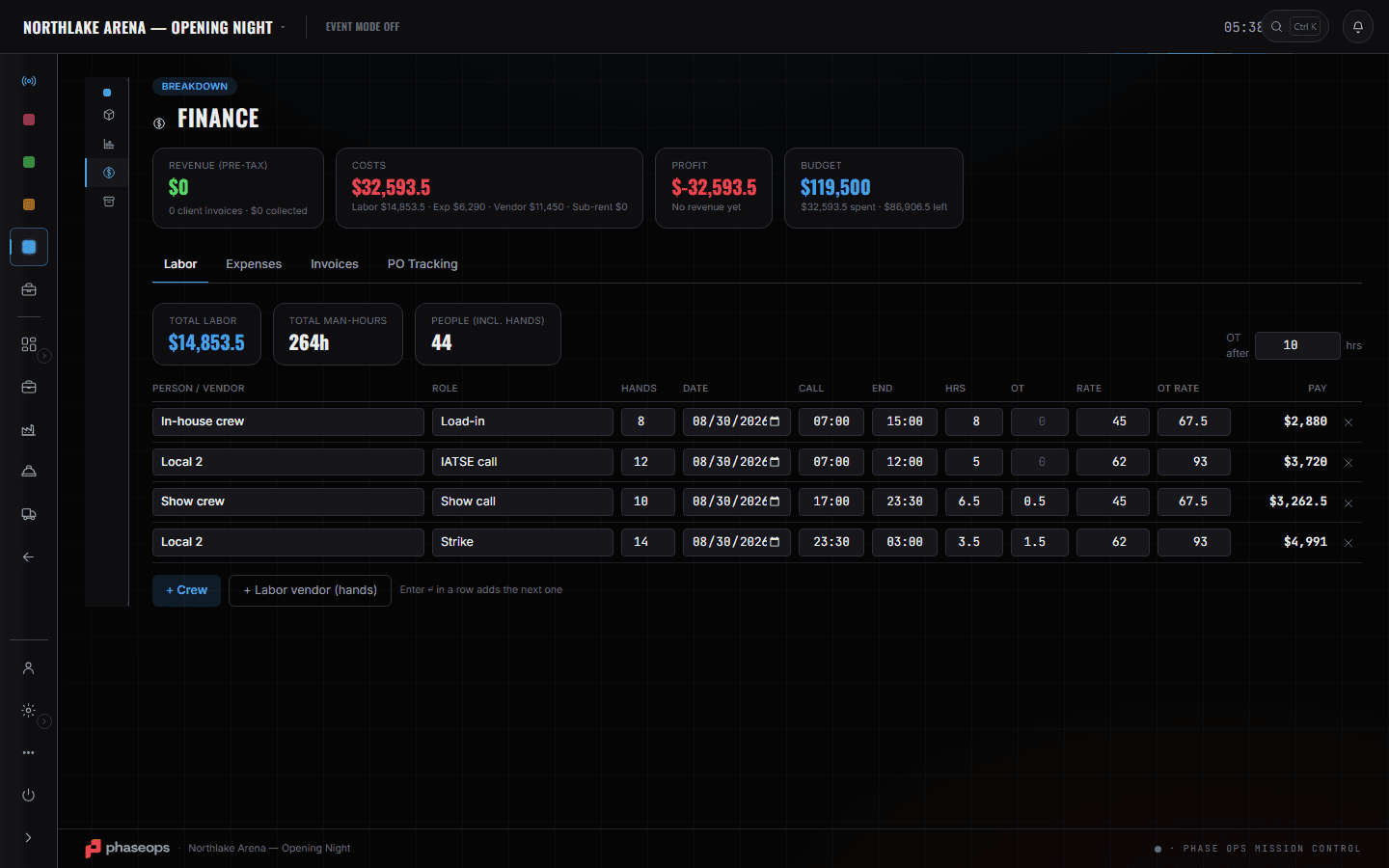
The boundary, before you find it yourself
Half of these are somebody else's screen and half of them are things this software does not do at all. Both are worth knowing now rather than at 16:00 on a load-in day.
Consoles, media servers and hoists
Nothing here talks to them. The rundown says which department is on a cue; the desk that fires it is theirs.
Warehouse shelving
Where a case lives is the shop's answer. You care that the gear is on the truck, which the pull sheet tells you.
Firing a cue from a phone
Crew phones read the pointer. They do not move it.
Load-in, show, load-out.
- Three weeks outVenue, dock, power and house contacts onto one sheet the shop can also read.Advance Ops · Venue Advance
- Two weeks outStaff the positions. The clashing show is named before anything writes.CrewOps · By Event
- One week outBuild the rundown as blocks and segments, tag the departments on the cues that need them.Show Ops · Edit Mode
- Load-inWatch build items go done, in-progress and blocked as the day runs.Build Ops · Build Schedule
- DoorsTake the call. One caller, asserted in the database, so two people cannot both think they are driving.Show Ops · Show Call
- LiveStandby warns. GO fires. A press that changes nothing says why instead of looking like it worked.Show Ops · Show Call
- Load-outLabour lines and expenses onto the event while the crew is still on site.Breakdown · Finance