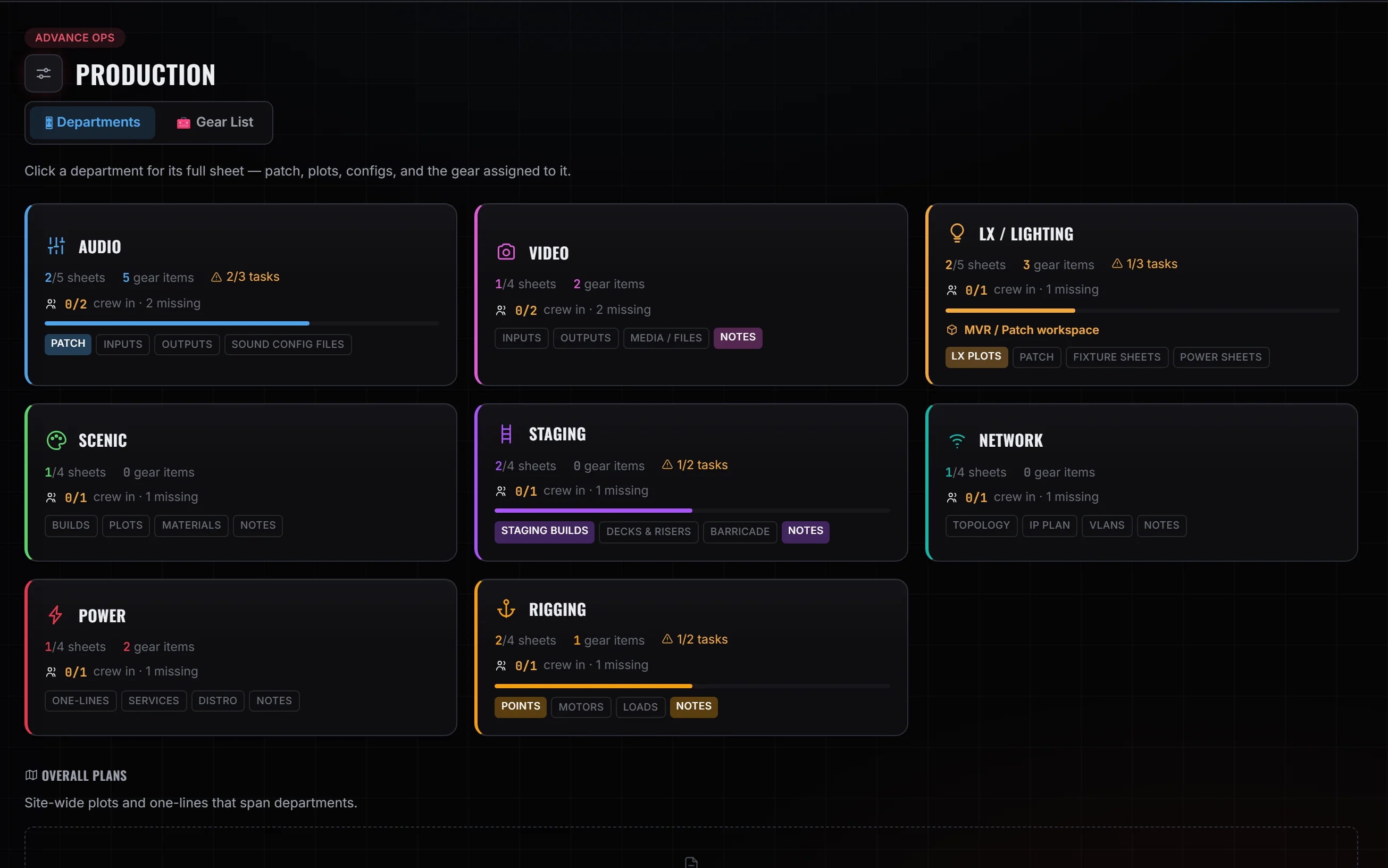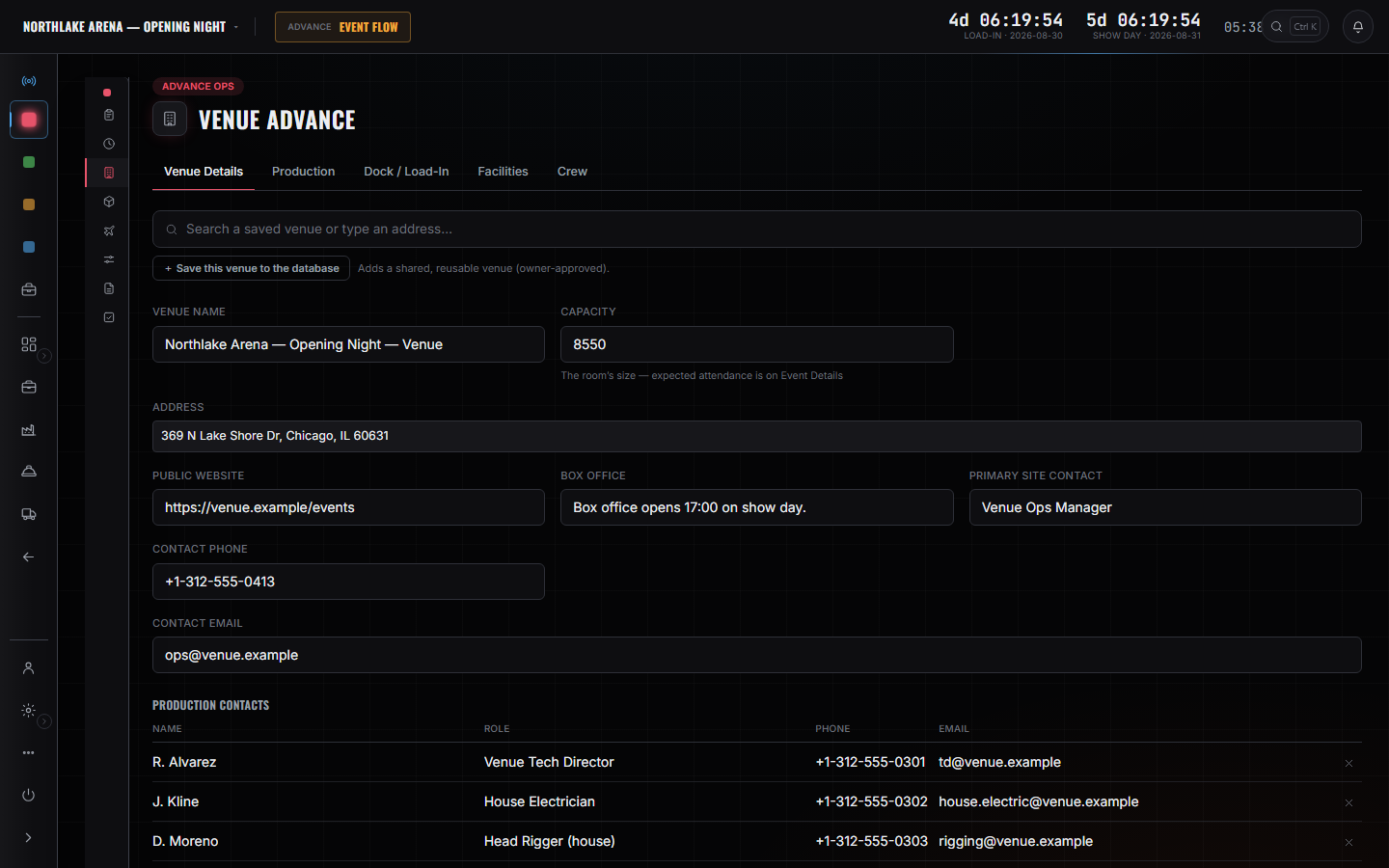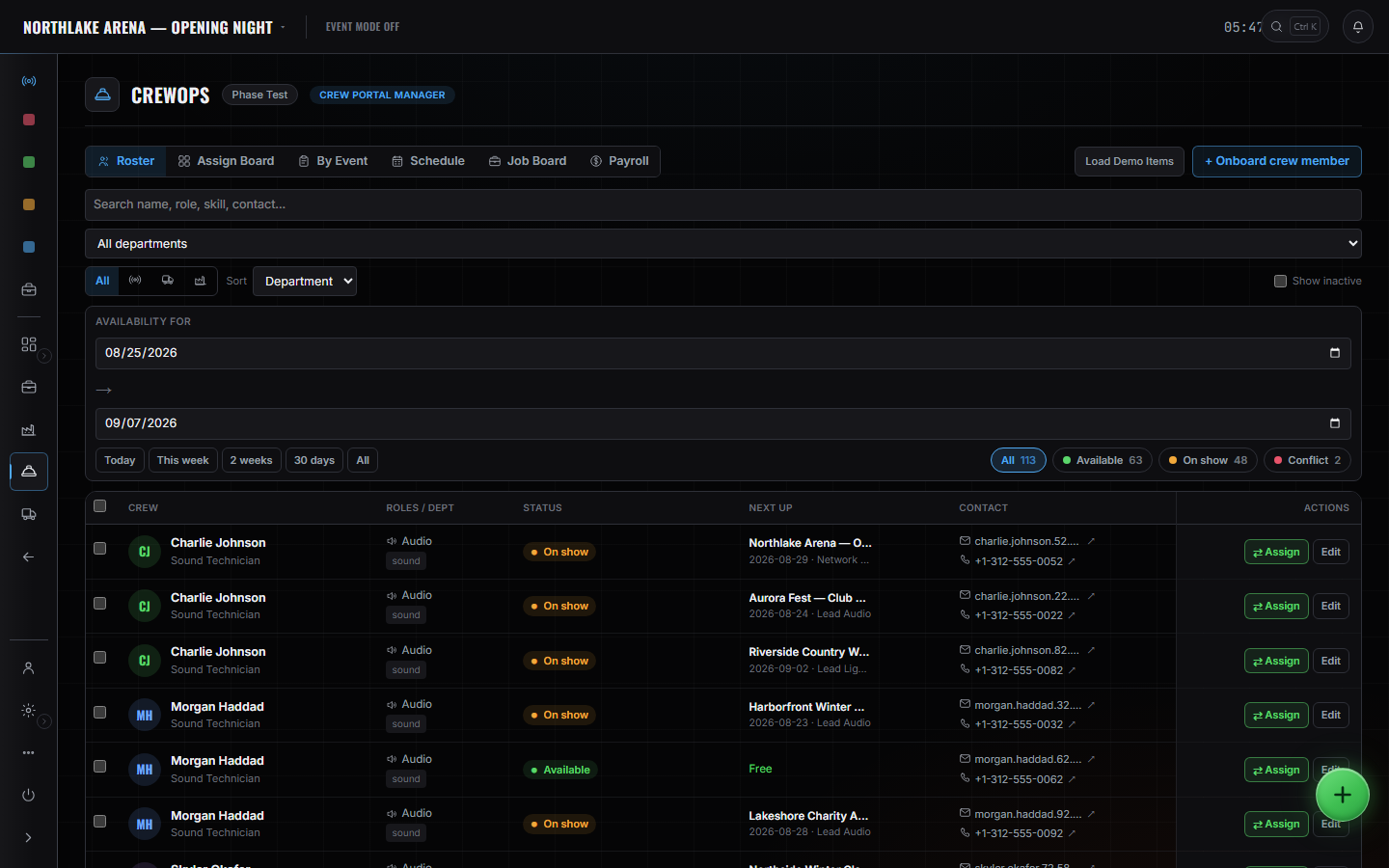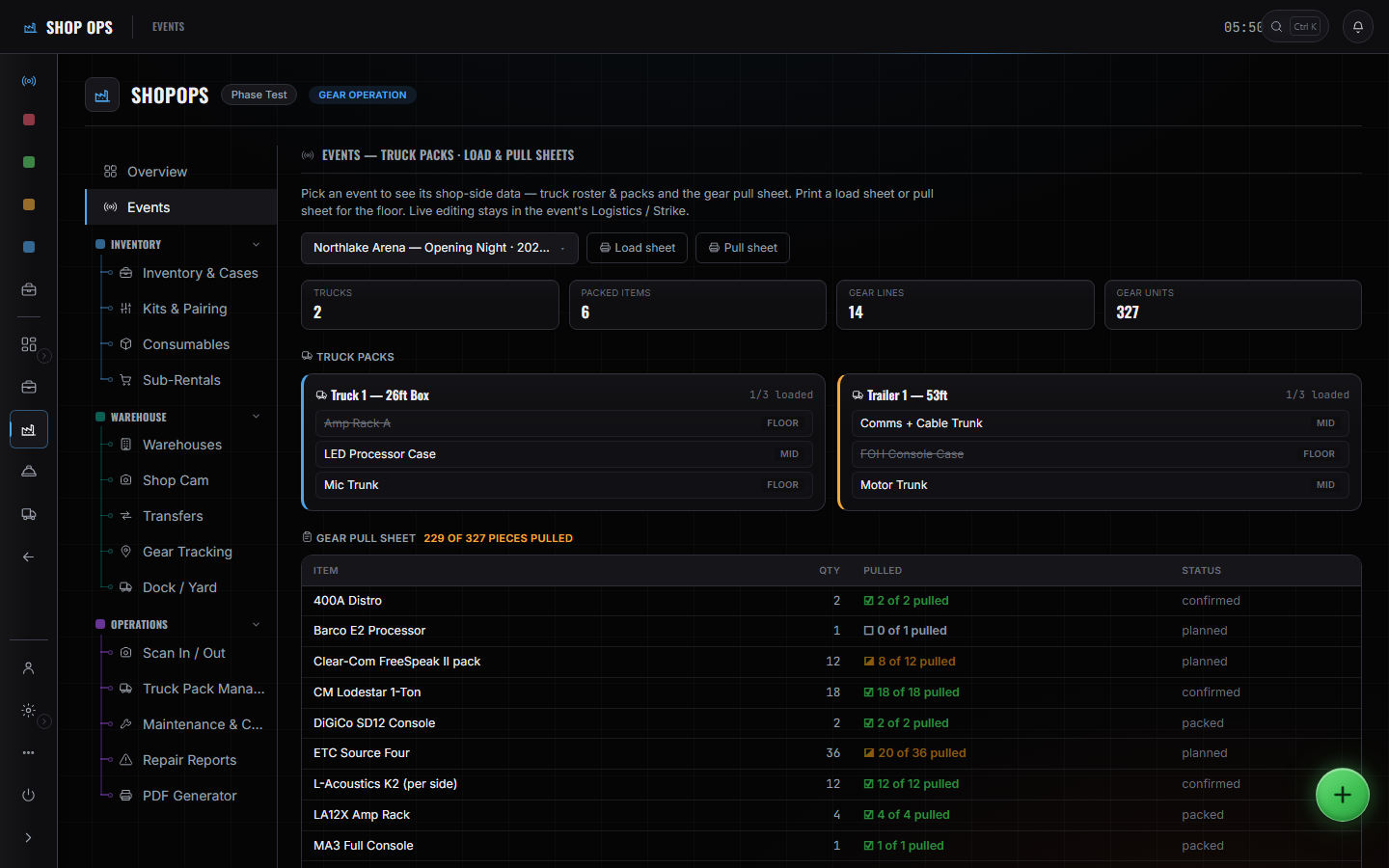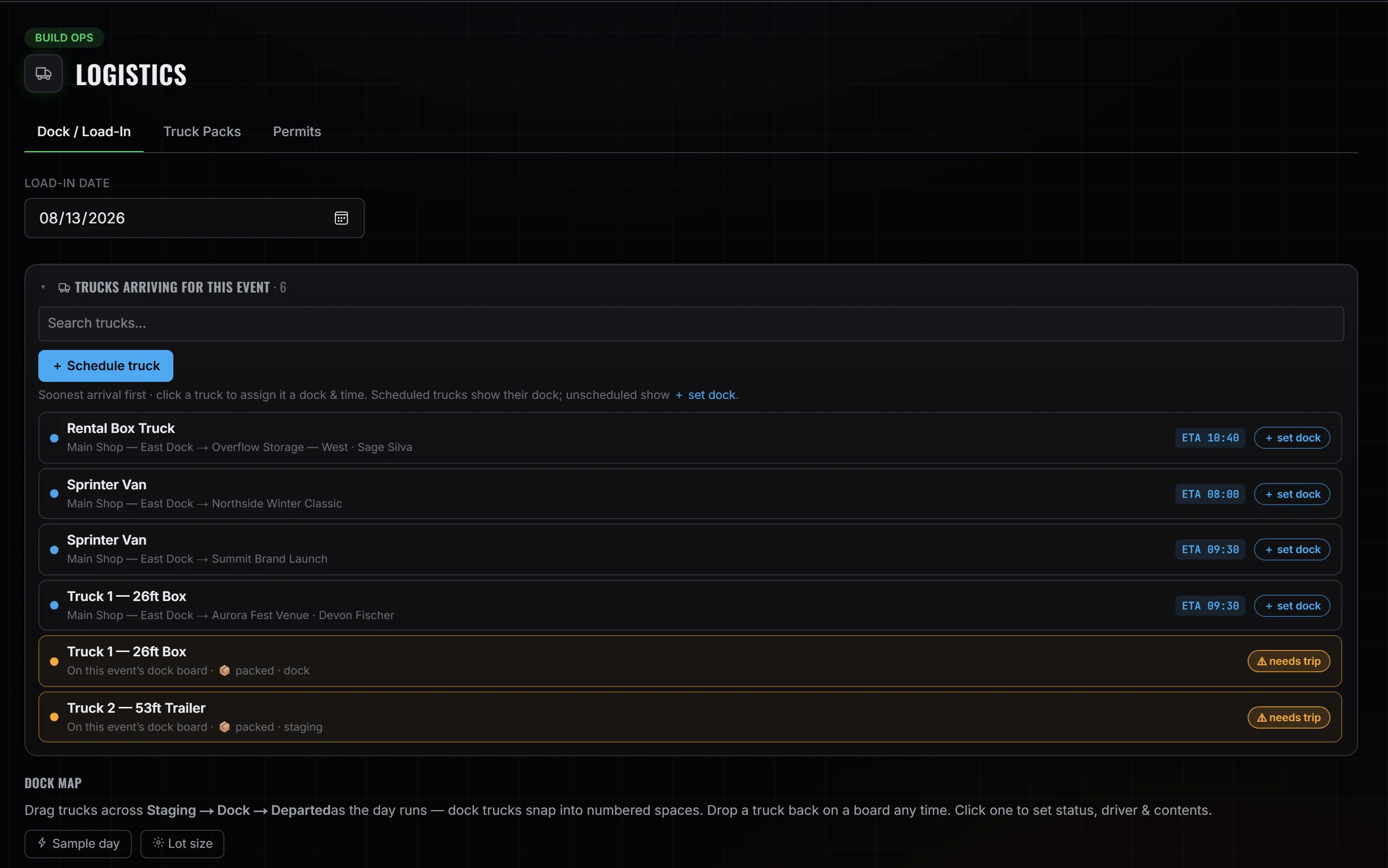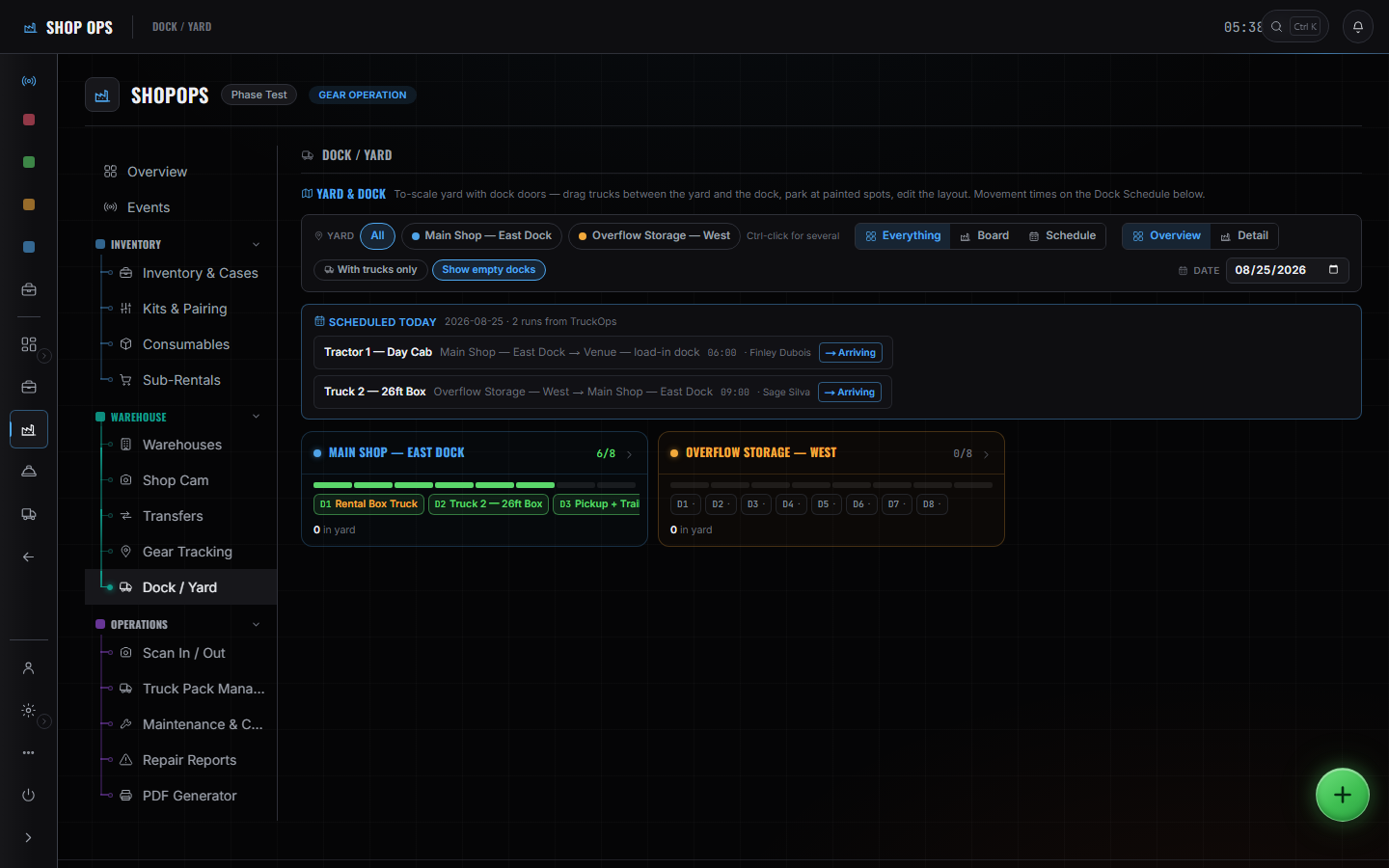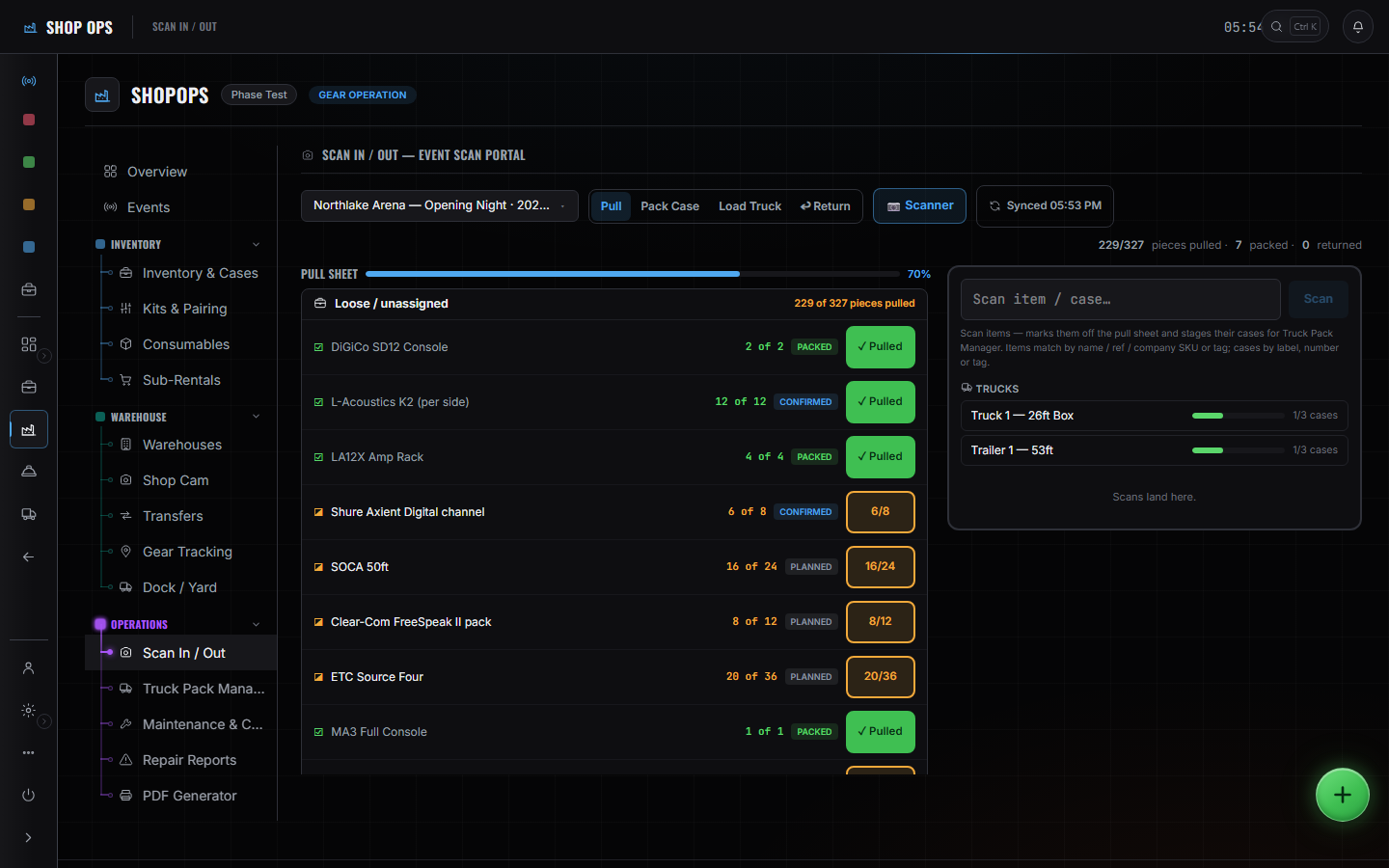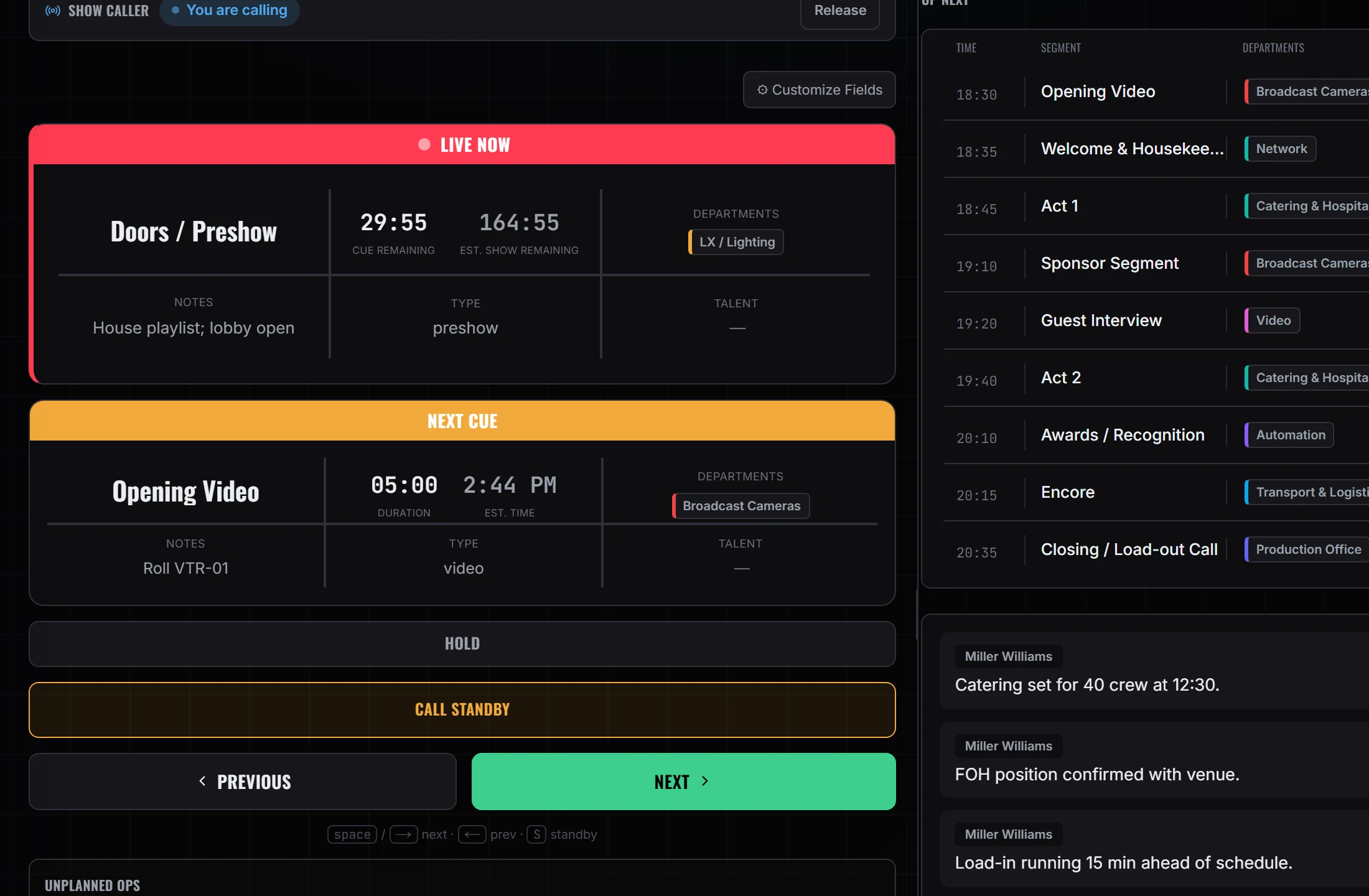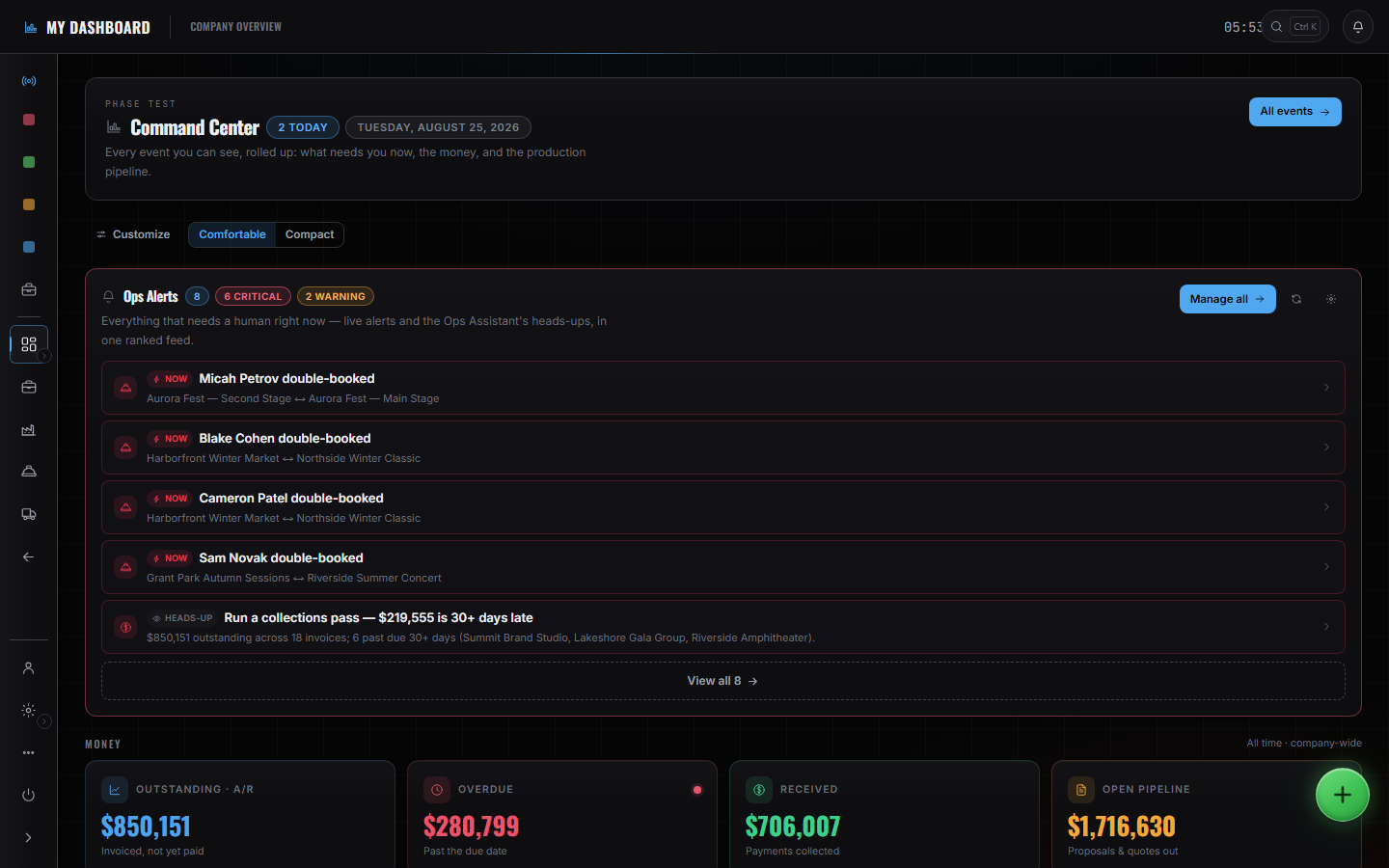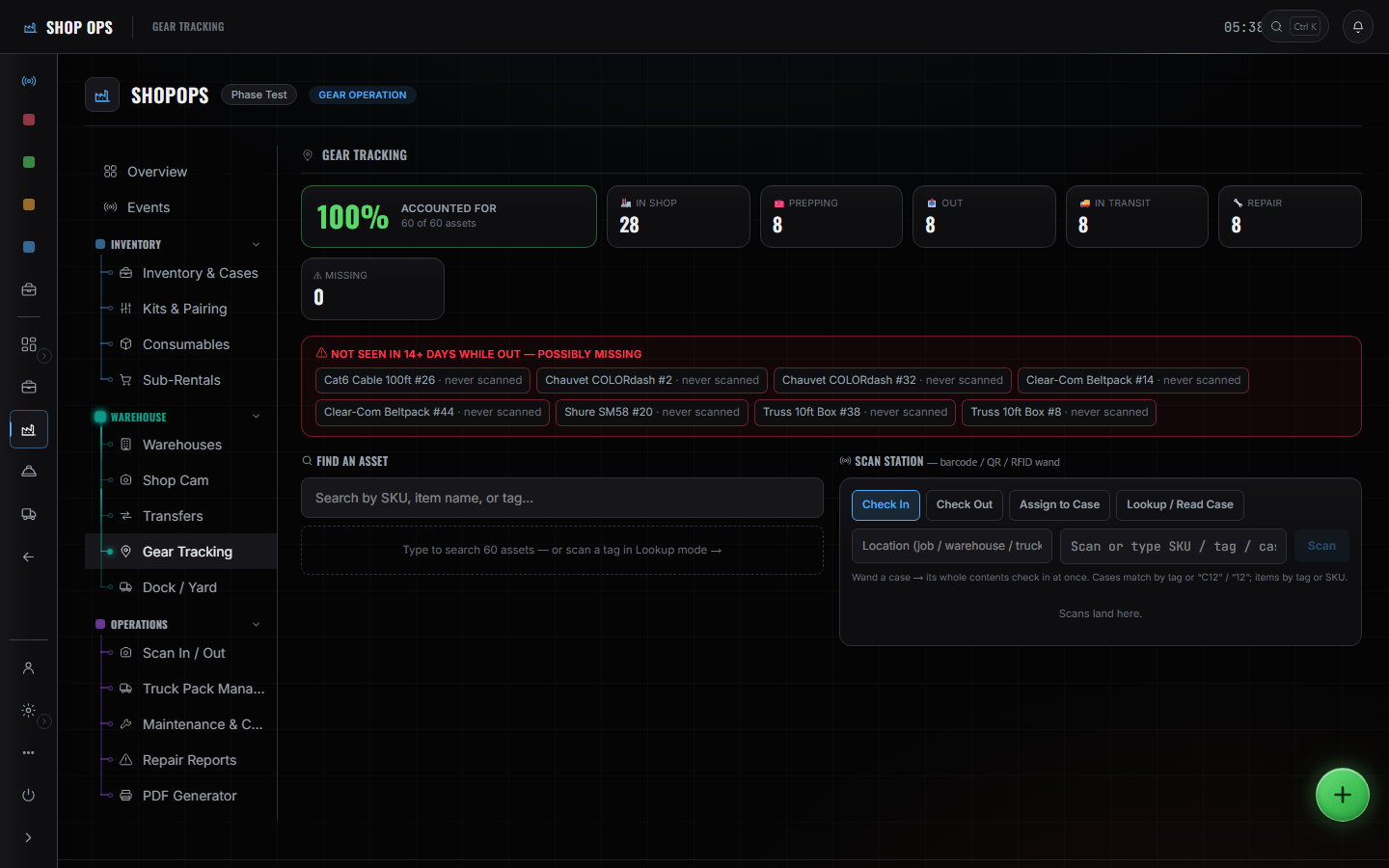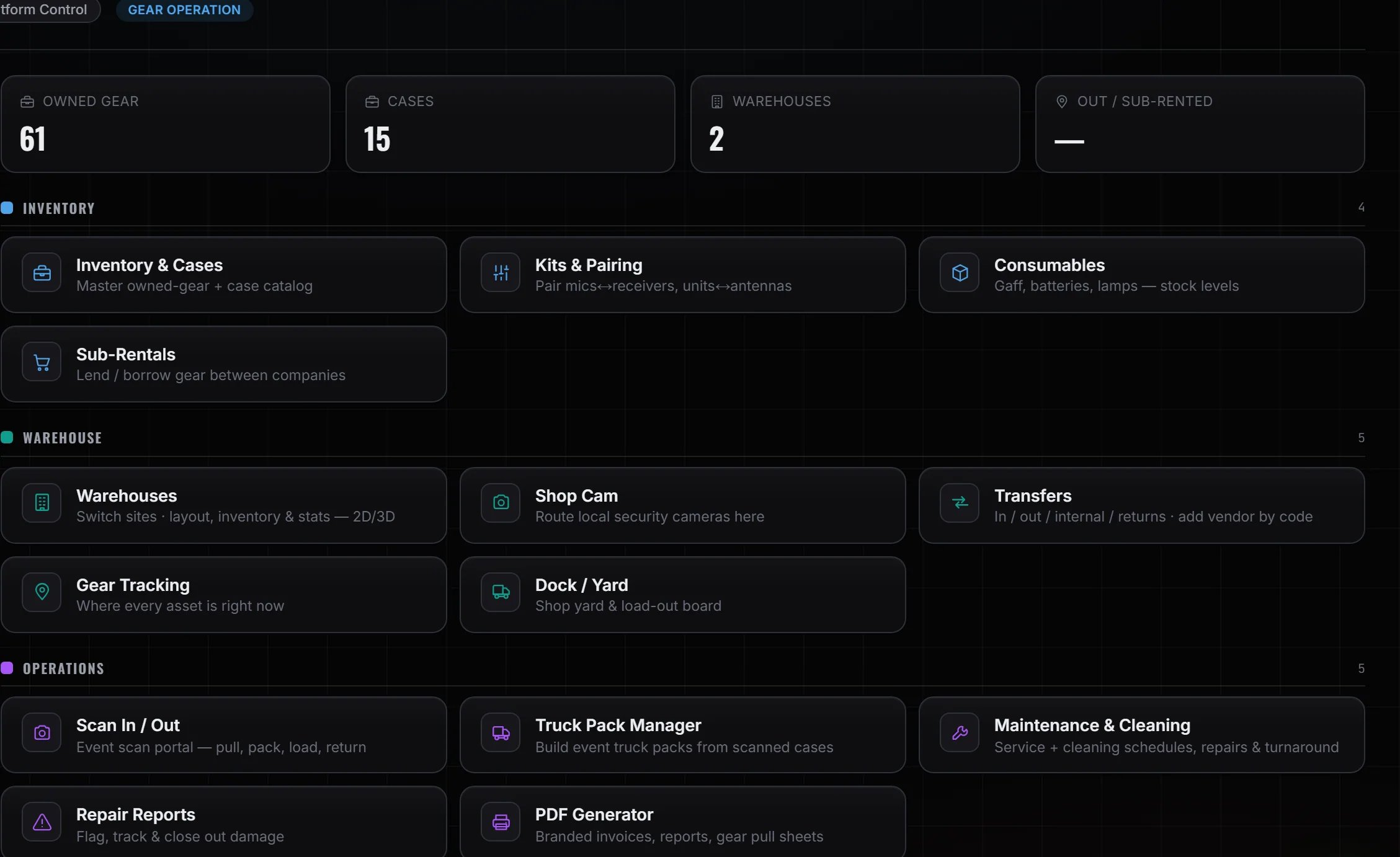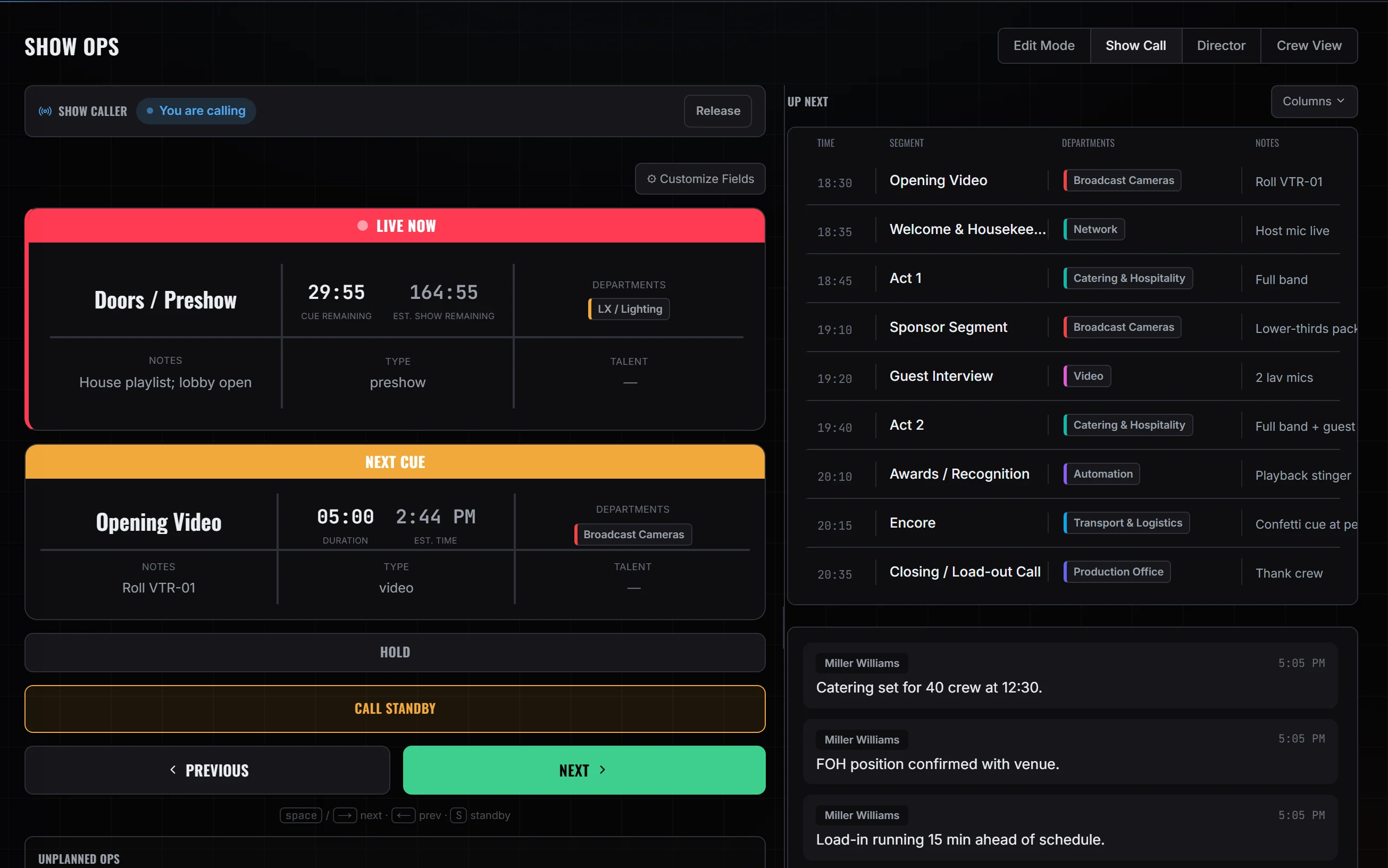
One event record — from the dock to the GO.
The desk, the shop, the truck and the crew's phones all working from the same show.
- Standby arms · GO fires · only the caller can move it
- Pull sheet → scan out → scan back, on one asset number
- The crew's phones show the same live cue


One event record, from the deal to the P&L.
Not a suite of apps that integrate. One company workspace where gear, crew and trucks are company-wide, and every event draws on them. Six stages, and you can start at whichever one is currently on fire.
- 01DealPipeline, quote, signature — it becomes the event
- 02PlanVenue, crew, travel, site layout, build, wiring
- 03GearPull sheet, pack cases, load truck, scan back
- 04RunTrip on the event, dock window, driver's cab
- 05ShowRundown, standby, GO — prompter and crew follow
- 06MoneyBudget against costs, labor, expenses, P&L
When the caller says GO, everyone already knows.
Standby warns the room. GO fires the cue. They are two separate acts on the desk, and every crew screen on the show — phone or desktop — is reading that same live pointer as it moves. No refresh, no group text, no “what are we on?”

A capture of the running desk with a cue on air, beside the crew portal itself on a demo day sheet. Not one synchronised moment, and not a recording.
The shop's pull and the truck's dock window live on this same event too — not driven by the cue, but not in another system either.
Five jobs that stop needing a group chat.
Show week has a shape. PhaseOps follows it — the same event record from the first call sheet to the last thing that came back broken.
- 07:00
Everyone knows where to be
Call times, dock, department — on the phone in their hand rather than in a thread nobody can scroll back through. One tap checks them in. If site has no signal, the check-in and any notes queue on the device and go up the moment it returns.
- Load-in
The gear leaves the shop accounted for
An event's list becomes a pull: prep it, pack it, scan it out and back. Every asset carries one permanent number — the same string is the printed QR and the RFID tag, so a scanner and a phone camera agree about what they just read.

- Advance
One sheet, not four versions of it
Venue, power, dock, production spec, travel. Everything autosaves, and a colleague's edit appears while you're looking at it. Anyone without full access on the event sees the same sheet read-only rather than a stale copy.

- Show
The cue reaches the pocket it matters to
Crew get the cue that's live, a timer on it, and how many cues away their own next one is. If the feed hasn't answered yet it says so — it will not show you a cue it isn't sure about.
Current CueHOUSE TO HALF01:12RemainingNext — StandbyBAND ONE INTROYour Next Cue3 cues awayLX BUILDEst. Left42:10Est. Finish 21:04 - Wrap
Problems get filed where they happened
A fixture that flickered, a case that came back light. Reported from site, linked to the gear or the cue it's about, with a photo — instead of remembered badly in the van.
⚑Report an IssueLink to an item (optional)GearMac Aura XB · unit 4What's the problem?Flickering on dimmer 4 from about 60%.Photos (optional)AddSend to ProducersGoes to the event's producers & owners.
From the lead landing to the case coming back dirty.
Six phases, 47 steps, in the order they happen. Every one is a screen somebody sits in front of, and each is only possible because the step above it put something on the same event record.
- 01
Win it
A lead becomes a signed event, without anyone re-keying it.
- Lead lands on the pipeline board
- Proposal built from one document model
- Quote priced off the same gear list the shop will pull
- Client opens a share link — no account needed
- Signature drawn, typed and timestamped
- Accepted, and it becomes the event
- 02
Plan it
Everything the show needs to know, on one autosaving sheet.
- Advance the venue: spec, contacts, documents
- Site survey drawn to scale, and the 3D build on it
- Event simulation of arrival and load-in
- Build schedule laid out by department
- Crew assigned from the company roster
- Double-booking named before the assignment writes
- Flights and hotels, approved traveller by traveller
- Rooming board, room by room
- Day sheets written day by day
- Signal flow and patch
- 03
Prep it
The event's list becomes gear on a truck, counted.
- Pull sheet generated from the event's gear list
- Prepped and packed case by case
- Sub-rentals raised in the shop — company orders, not the show's
- Asset labels printed: the code and its QR
- Scan out against the sheet, one scan per piece
- A surplus scan is refused rather than absorbed
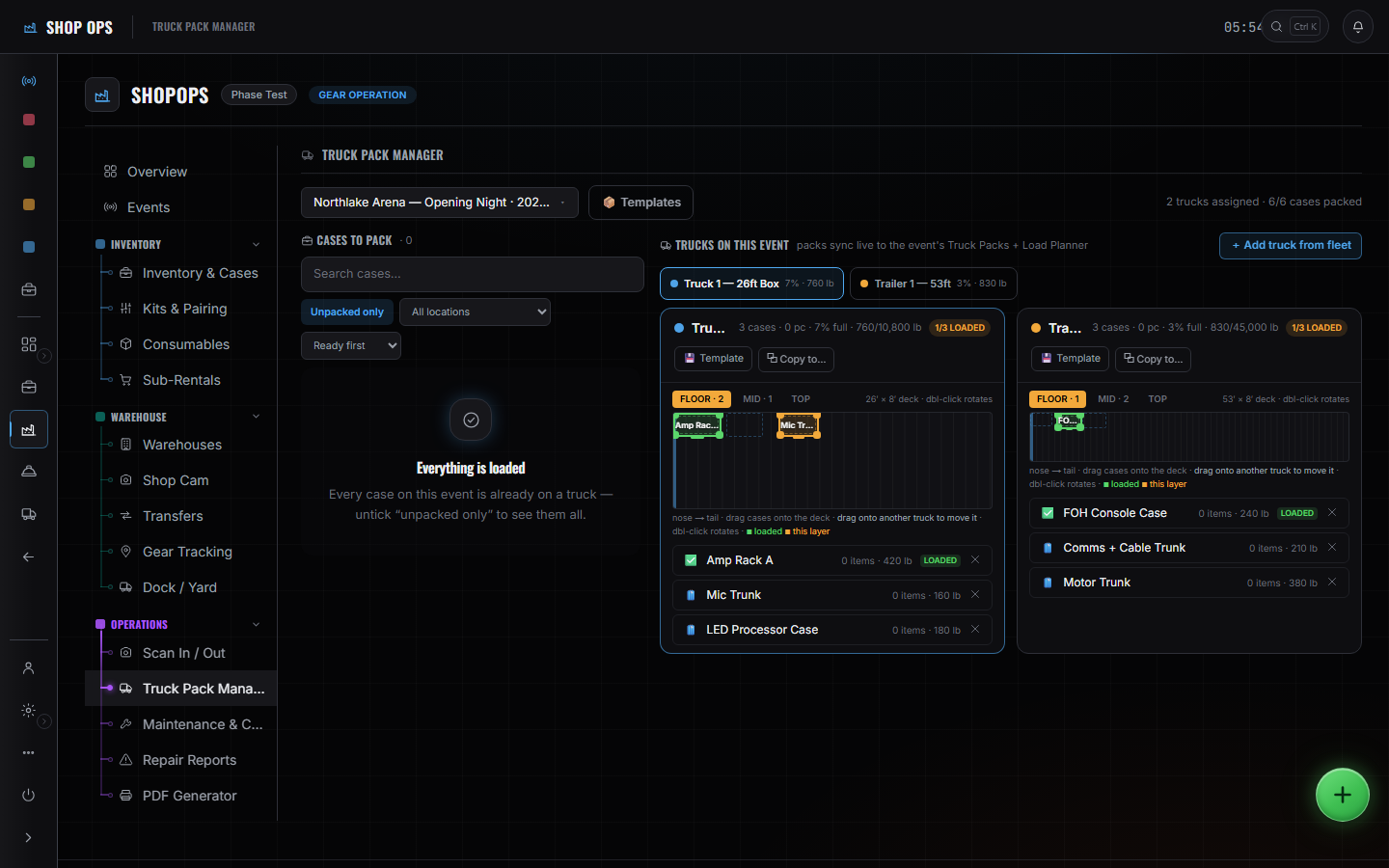
- Cases scanned onto the truck as they load
- 04
Move it
The truck belongs to the show, not to a side spreadsheet.
- Trip planned against a vehicle, a driver and the event
- Addresses geocode on save and plot on the map
- Mileage from a road route — labelled when it estimates
- Dock window booked on the venue's board
- Driver claims the truck from the cab
- Status in one tap: en route, at dock, delayed
- Duty clock for the hour rules — a helper, not a certified ELD
- 05
Run it
One pointer the room and the phones both read.
- Crew check in on arrival, one tap
- Day sheet and the live cue on their own phones
- Rundown called: blocks, segments, departments per cue
- One caller at a time, asserted in Postgres
- Standby arms and warns; the separate GO fires
- Prompter arms from the on-deck cue
- Director mode, and Crew View filtered to one department
- Emergency plan on the same show: AED, routes, contacts
- Issues reported against the gear or cue they are about
- 06
Close it
The load-out is where the money is either recorded or lost.
- Strike and load-out
- Scan back on return, so the next pull starts from the truth
- A case raises a cleaning job that locks it out of the next pull
- Maintenance and repairs tracked against the asset
- Labor, expenses and vendor invoices land on the event
- Invoice raised from the same document model as the quote
- Payments recorded against it in the ledger
- Per-event P&L, with margin computed pre-tax
What is not a step is not in the product. There is no financing, factoring or lending here — the money surfaces are quotes, invoices, a payments ledger and a per-event P&L. Sub-rentals are raised in the shop as company orders rather than against the show, and the driver duty clock is a helper for the hour rules, not a certified ELD.
Four surfaces that only make sense together.
Plenty of tools do one of these well. The wedge is that here they are the same event — the cue the caller fires, the case the shop packed, the truck that brought it, and the phone in the hand of whoever is rigging it.
Call the show off one pointer, not six opinions.
The rundown is server-held. Standby arms the next cue and warns the room; the separate GO is what puts it on air — and only the caller who holds the call can run either.
- Standby arms the next cue and warns the room; the separate GO is what fires it.
- A press that changes nothing returns the reason — end of rundown, nothing to arm — instead of looking like it worked.
- Hold banks the elapsed time server-side, so a reload comes back frozen on the same number.

The gear leaves the shop accounted for.
An event's list becomes a pull sheet: prep, pack, scan out, scan back. Every asset carries one permanent number, printed as a QR and encoded as its RFID tag.
- Every asset gets a permanent, platform-unique, human-readable number.
- The same string is the printed QR and the RFID tag, so a scanner and a phone camera agree.
- Inventory rolls up across in-warehouse, prepping, on-job, repair and missing, weighted by unit.

The truck belongs to the show, not to a spreadsheet.
A trip carries a vehicle, a driver from your roster, real addresses and the event it serves. Mileage comes from a road route — and when it falls back to an estimate, it says so.
- A trip carries a company vehicle, a driver from the roster, addresses and the event it serves.
- Addresses geocode on save; mileage comes from a road route, with the fallback labelled as an estimate.
- Incoming trucks feed the venue's dock board, so trucking and load-in stay one plan.

The field is on the same event as the desk.
Crew check in on arrival, read their day sheet and watch the live cue. Drivers broadcast en route, at dock or delayed in one tap. Check-ins and notes made with no signal replay when it returns.
- Crew check in on arrival, read their day sheet, and watch the cue that is live.
- Drivers broadcast en route, at dock or delayed in one tap, and run a duty clock.
- The duty clock is a helper, not a certified ELD — and the panel says so.
Six surfaces, one event record.
Gear, crew and fleet are company-wide; every event draws on them. Nothing here is a separate database you have to keep in step by hand.
Show Ops
Build the rundown, then call it. Standby, GO, hold and step-back.
One caller at a time, enforced in Postgres — not in the browser.Shop Ops
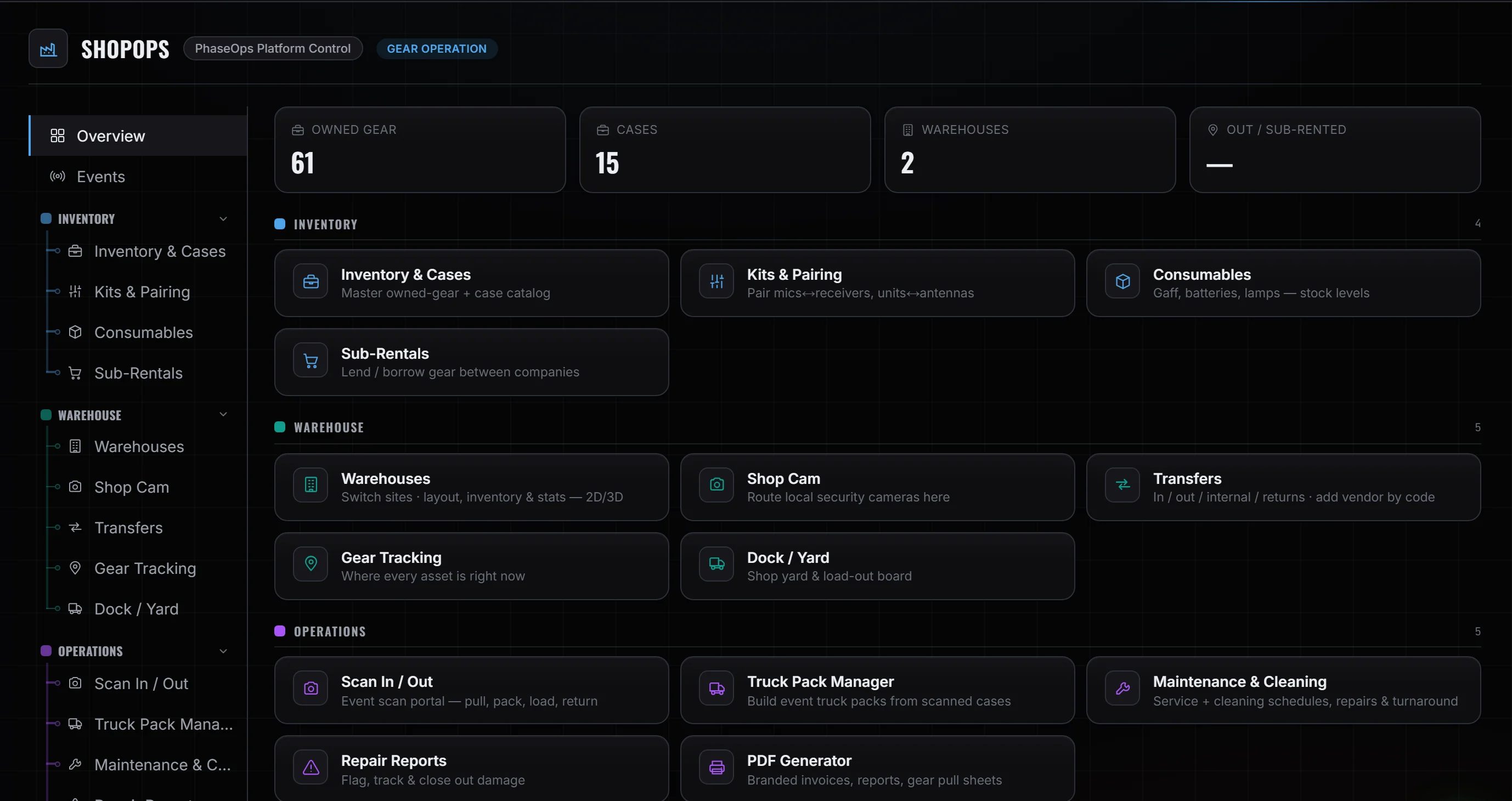
Owned-gear catalog, kits, pull sheets, scan out and back, sub-rentals.
One permanent asset number, printed as QR and encoded as RFID.Fleet Ops
Trucks, drivers, trips tied to the event, dock and yard.
Trip mileage from a real road route, and it says when it's estimating.Advance
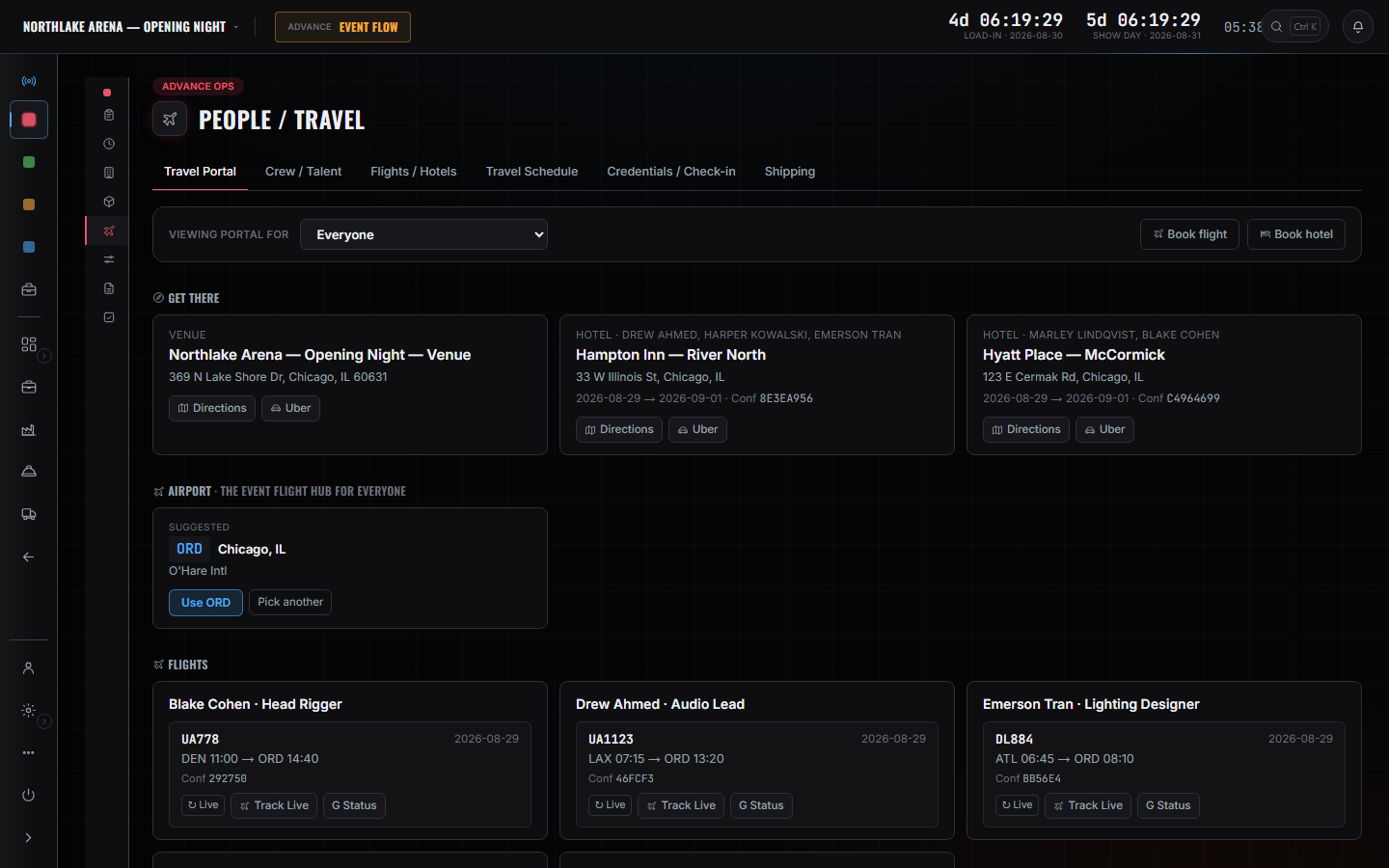
Event details, venue, production spec, people and travel, build board.
Autosaves, and keeps your edit queued until the write confirms.Finance
Proposals and invoices, payments, per-event P&L.
Margin is pre-tax — sales tax is a passthrough line, not revenue.Crew Ops
Two phone portals on the same event: check-in, day sheet, live cue, trips.
Check-ins and notes queue with no signal and replay on reconnect.
Everything a show week touches, in one workspace.
7 areas, 59 screens. Not a roadmap — this is what is in the product today. Every area opens onto the page that owns it; Advance and Travel share one.
- Rundown and transport
- Director mode
- Crew View, filtered to one department
- Prompter on a second display
- Emergency plan: AED, routes, contacts, incident reports
- Site radar and NWS warnings
- Lightning shelter rings (your own weather key)
- Pull sheets, case by case
- Kits and paired units
- Scan and RFID on one tag string
- Sub-rentals in, and gear lent out
- Company-to-company transfers by code
- Consumables with par and reorder levels
- 2D/3D warehouse map with racks and bays
- Maintenance, cleaning and repairs
- Trucks, trailers and drivers
- Trips geocoded on a map
- Dock and yard board
- Driver portal in the cab
- Duty clock (a helper, not a certified ELD)
- Permits tracked per trip
- Fuel log and fleet MPG
- Vehicle compliance dates
- Crew roster and rates
- Assign board, crew onto the event
- Staffing by department against named positions
- Schedule matrix, with double-booking flagged
- Job board: post a call, crew register interest
- Pay weeks from assignments, not from a timeclock
- Day sheet: call times, meals and load-in
- The live cue, and how far away yours is
- One-tap check-in, queued with no signal
- Report an issue, with a photo
- Venue, contacts and documents
- Production spec by department
- Site Survey, drawn to scale
- 3D site builder at one unit to the foot
- Event Simulation of arrival and load-in
- Build schedule by department
- Day sheets, written day by day
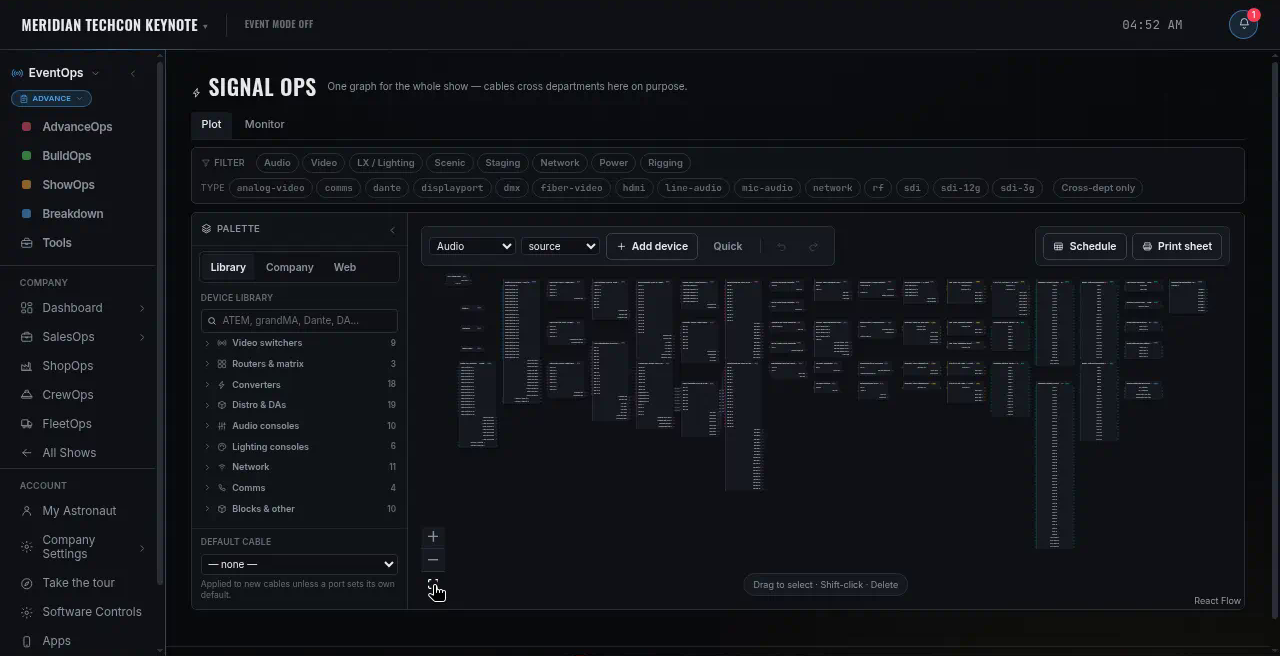
- Signal flow and patch
- Booking runs through Duffel on the deployment key, not a per-company account
- Group flight plans, approved traveller by traveller
- Rooming board, room by room
- Crew travel profiles, held once per person
- Travel policy: cabin caps and budgets
- Readiness check before anyone is ticketed
- Itineraries on the crew's phone
- Manual sheets for anything booked elsewhere
- Pipeline board, lead to won
- One document: proposal, quote, invoice
- Quotes off the same gear list
- Client share link and e-signature
- Client pay page (your own Stripe account)
- Expenses, purchase orders and vendor invoices
- Labour lines: hands, hours, rate, overtime
- Event budget lines, kept apart from the P&L
- Outstanding, overdue and A/R aging
- Per-event P&L, margin pre-tax
What is not in that list is not in the product. PhaseOps drives no hardware — no timecode, no MIDI or OSC, no lighting desk, no switcher. It sends no email of its own, trucks are not GPS-tracked, and the driver duty clock is a helper for the hour rules, not a certified ELD. Crew are booked by a producer; there is no availability calendar they keep themselves. Flights, hotels, card payment and lightning detection run on provider accounts you hold.
The gaps between tools are where show week goes wrong.
A calendar knows the date. An inventory system knows the case. Neither knows that the case is on a truck that is late to a dock for a cue at 20:14. PhaseOps carries one event record through all six, so the handoffs are not a person remembering.
- 01PipelineThe dealProposal accepted → becomes the event
- 02AdvanceThe planVenue, power, dock, travel, build
- 03ShopThe gearPull, pack, scan out
- 04FleetThe runTrip tied to the event, dock window
- 05ShowThe callRundown, standby, GO
- 06DebriefThe moneyLabor, expenses, invoice, P&L
Six tools
- The event exists six times, spelled six ways.
- A change in one is a message asking someone to change the others.
- “Which version is current?” is a real question with a real cost.
- Nobody in the field can see any of it.
One company workspace
- Gear, crew and trucks are company-wide; each event draws on them.
- An edit shows up on a colleague's screen while they're looking at it.
- Crew and drivers are on the same event, from a phone.
- Who sees what is decided in the database, not by hiding buttons.
Built for the people who run the week.
Owner / company
One company workspace — gear, crew, trucks and events in one place.
- Seats and access decided in the database, not by hiding buttons
- Per-event money on the same record as the work
- Margin computed pre-tax — sales tax is a passthrough, not revenue
Producer
Call the show, and change it while it is running.
- Standby arms and warns; the separate GO is what fires
- Edit the rundown and every screen reads the new list
- Issues land on the cue or the gear they are about
Stage manager
Hold the call, and see the move before it has to happen.
- Take the call — one caller at a time, asserted in the database
- Standby warns the room; the separate GO is what commits it
- Crew View: the rundown filtered to your department alone
Lighting
The rig, the patch and the routing on the same show record.
- Import the MVR; a re-import prunes only what came from it
- Patch table and fixture inspector on the LX department sheet
- Signal flow and routing beside the patch, not in another file
Crew on site
The day sheet, the live cue and one-tap check-in, on your own phone.
- Your day sheet and the live cue, on the phone in your hand
- Check-ins and field notes queue with no signal, and replay on reconnect
- No location is reported — the crew phone never sends a position
Truck driver
One screen in the cab: your run, your dock window, your hours.
- Your trip, your dock window and your permits, on one screen
- Status goes out in one tap — en route, at dock, delayed
- A duty clock for the hour rules — a helper, not a certified ELD
Shop & warehouse
Pull, scan out, scan back — on one asset number.
- One asset number, whether it arrives as a QR read or an RFID tag
- Scan a case and its contents move with it, not one scan per piece
- A refused write reads as refused, not as a green tick
Logistics & fleet
A trip carries the event it serves, and lands on that venue's dock board.
- Dock window on the same show the crew is called to
- Mileage from a road route — and labelled when it is an estimate
- A second run on the same truck the same day is flagged before it writes
Built to be believed at 20:14.
Access is decided in Postgres, per company, per role — five roles resolve to a database-side access level, and a deactivated member loses it there rather than in the interface. A company can never be orphaned: the last active owner can't be demoted or switched off.
- It tells you when nobody got itA crew check-in that reaches no subscribed device says so, in those words. Silence is never rendered as success.
- A press that changed nothing says soGO at the end of the rundown, or standby with nothing to arm, returns the reason instead of looking like it worked.
- It won't show a cue it isn't sure aboutThe live view says it's connecting until the server answers, and labels a dead feed rather than leaving a stale number up.
- Estimates are labelled as estimatesTrip mileage from a real road route says so; the straight-line fallback says that instead of quietly rounding.
Run your next show week on one system.
Built for production companies who run show weeks — advance, shop, trucks, crew and the call itself. If that is your operation, get in touch for a look.
Already set up? Log in and you land where you left off.