Hold the call, and see the move before it has to happen.
The rundown you are calling from is the same record the deck, the shop and the producer are reading. When it changes, it changes for all of them at once.
You are the one holding the room. You know the running order better than anyone in it, you know which change happened twenty minutes ago and who has not heard about it yet, and you spend the show a cue ahead of everybody else. Paper works right up until the moment it changes.
- You call from the running order and you need the deck reading the same one
- You care about the NEXT move, not the one on air
- You are the first person the room looks at when something goes wrong
Show Call
/shows/[showId]/flow
The caller's surface: what is live, what is next with its duration and departments, the rundown in Up Next, and the notes feed the departments are writing into. S arms standby, space takes it, and when check-in is incomplete Next becomes a hold rather than a tap — the button fills before it advances.
What this module does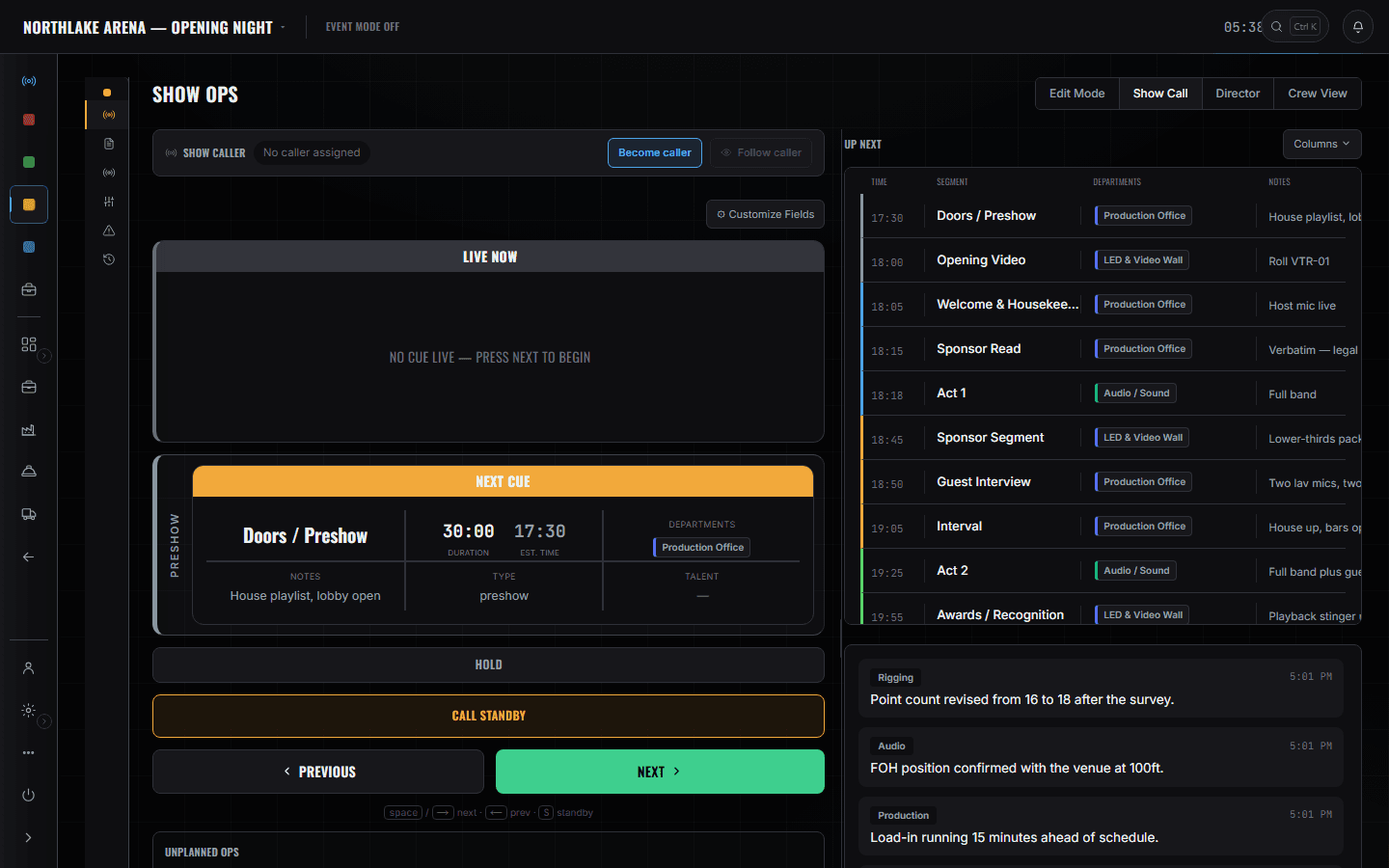
5 screens, and what each one is for.
Edit Mode
/shows/[showId]/flow
Where the running order is actually built — blocks, numbered segments, type, talent, and the departments on each cue. Edits reach every screen on the show without anyone reloading, which is the whole reason it is not a PDF.
Read the module page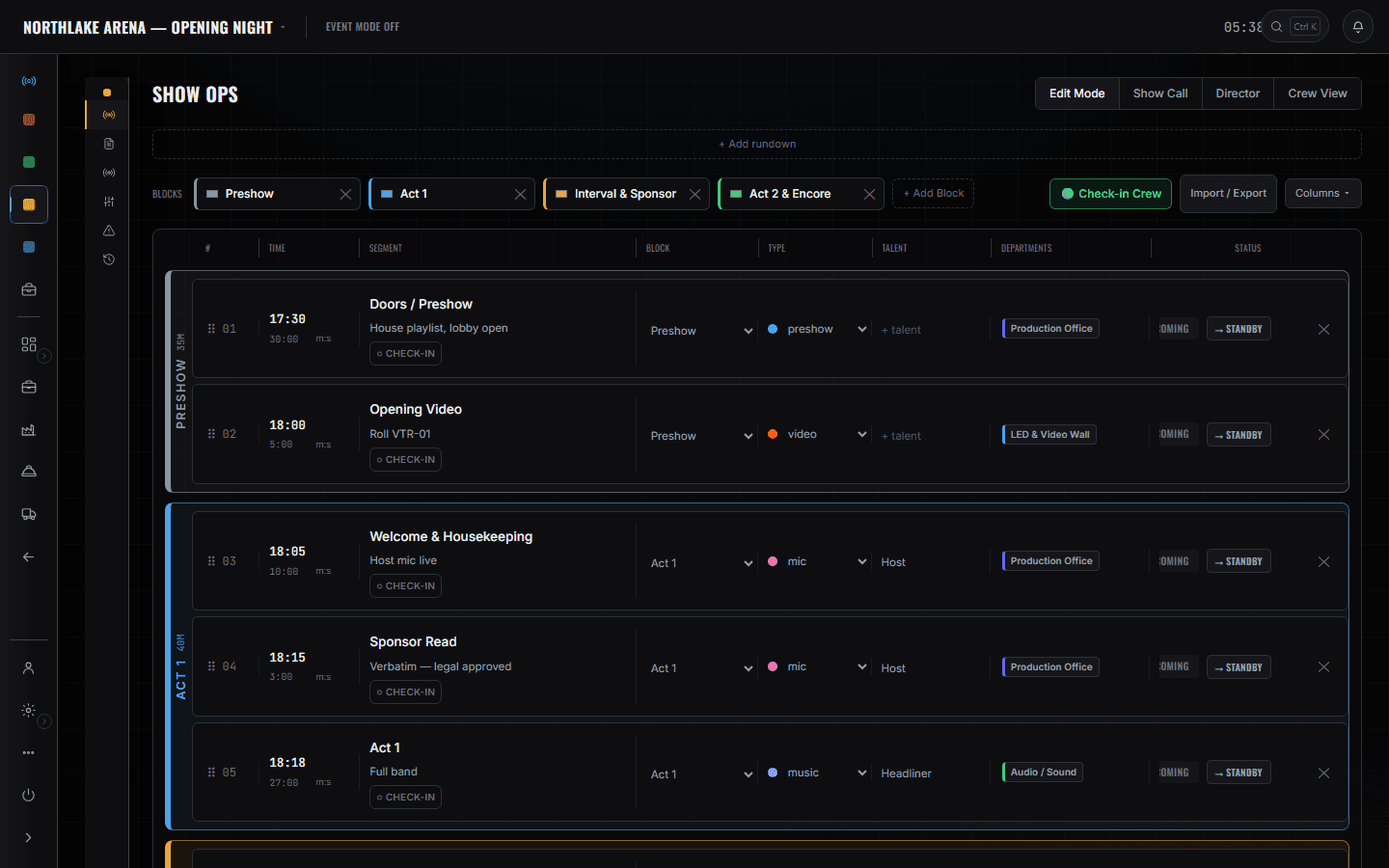
Departments
/shows/[showId]/departments
Eight cards, and the only three numbers you want before doors: sheets done, crew checked in, tasks open. '0 of 2 crew in · 2 missing' on Video is a conversation you can have at 15:00 instead of 18:04.
Read the module page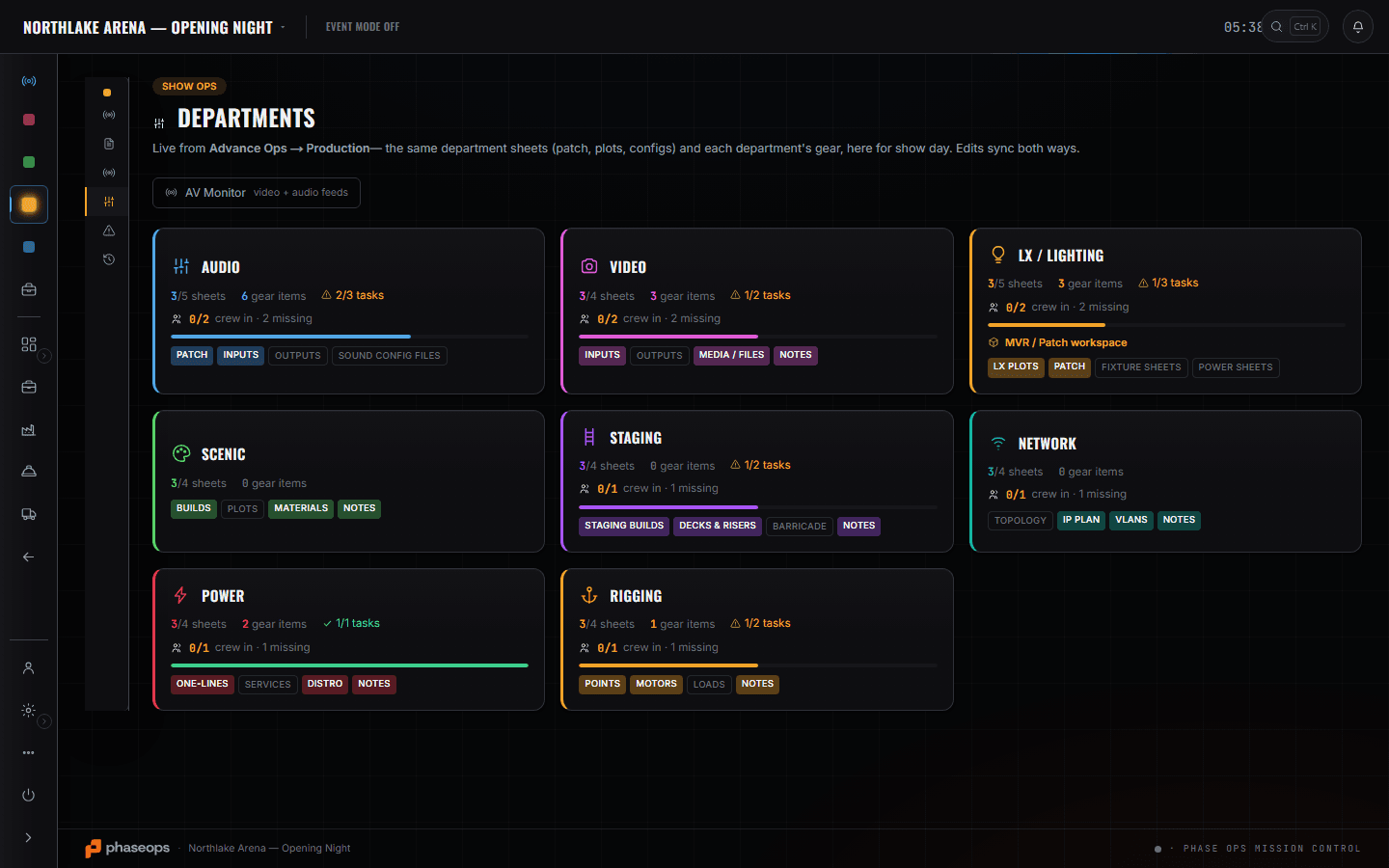
Schedules
/shows/[showId]/advance/schedules
The run of day for load-in, show day and load-out. Tick a block of rows and retime one — the rest move by the same amount, which is what actually happens when the truck is an hour late.
Read the module page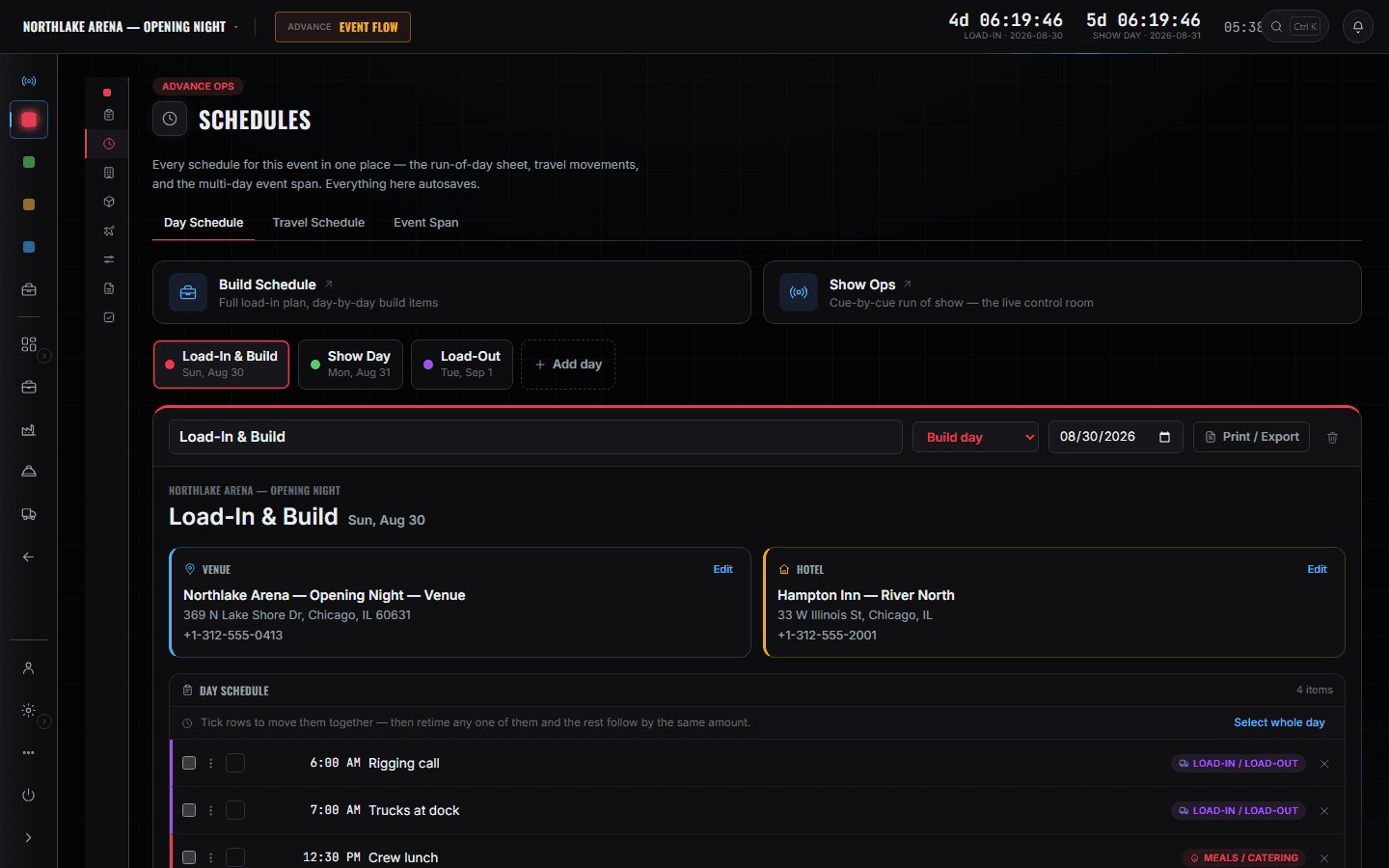
The crew's phone
/crew/[showId]
What the deck is actually holding: call times, meals, load-in, where they are staying, and the live cue when the show is running. If it is not on here, they do not know it.
Read the module page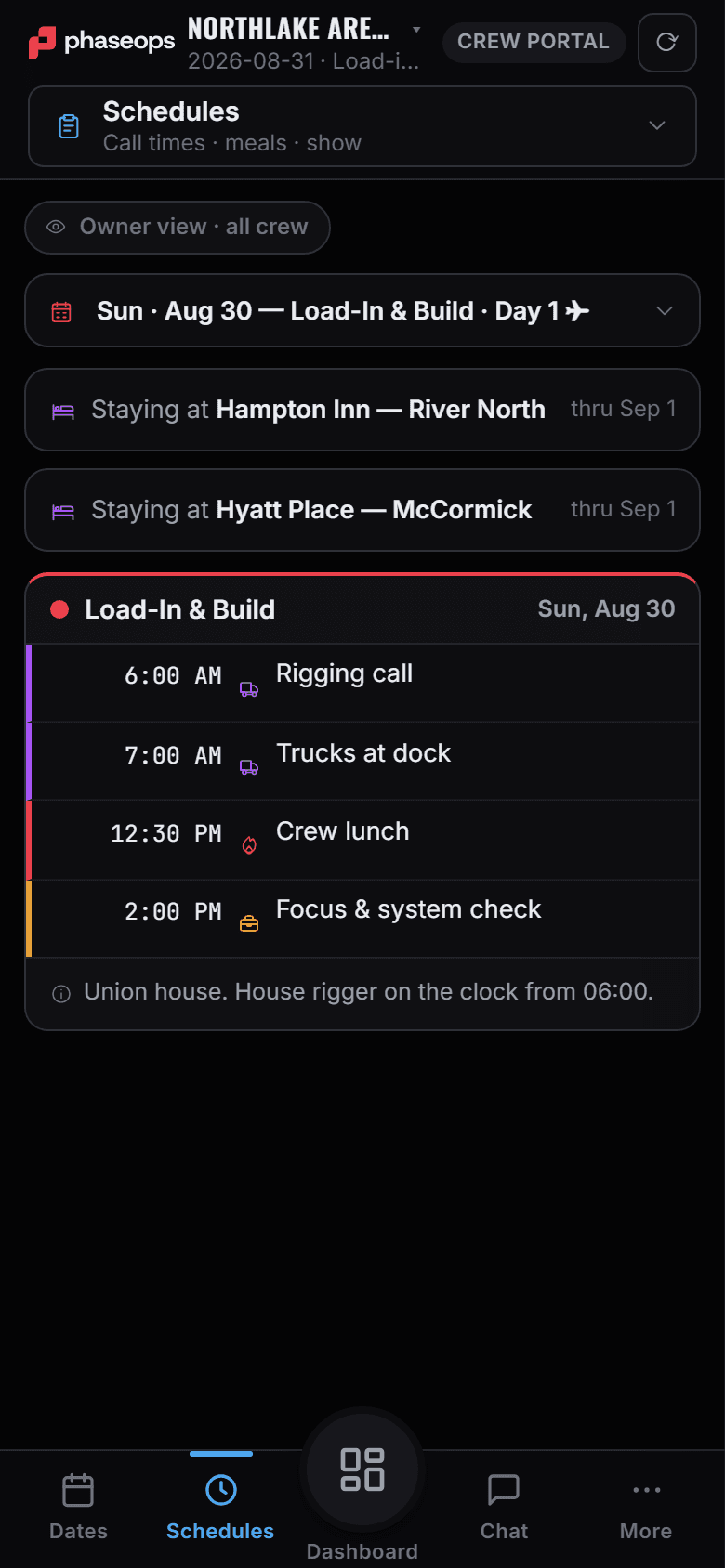
Emergency Ops
/shows/[showId]/emergency
Site status, the action plans, live radar and the incident log. Setting the status banners it in every crew field app — it does not reach radios, the PA, or anyone without the app, and the screen says so.
Read the module page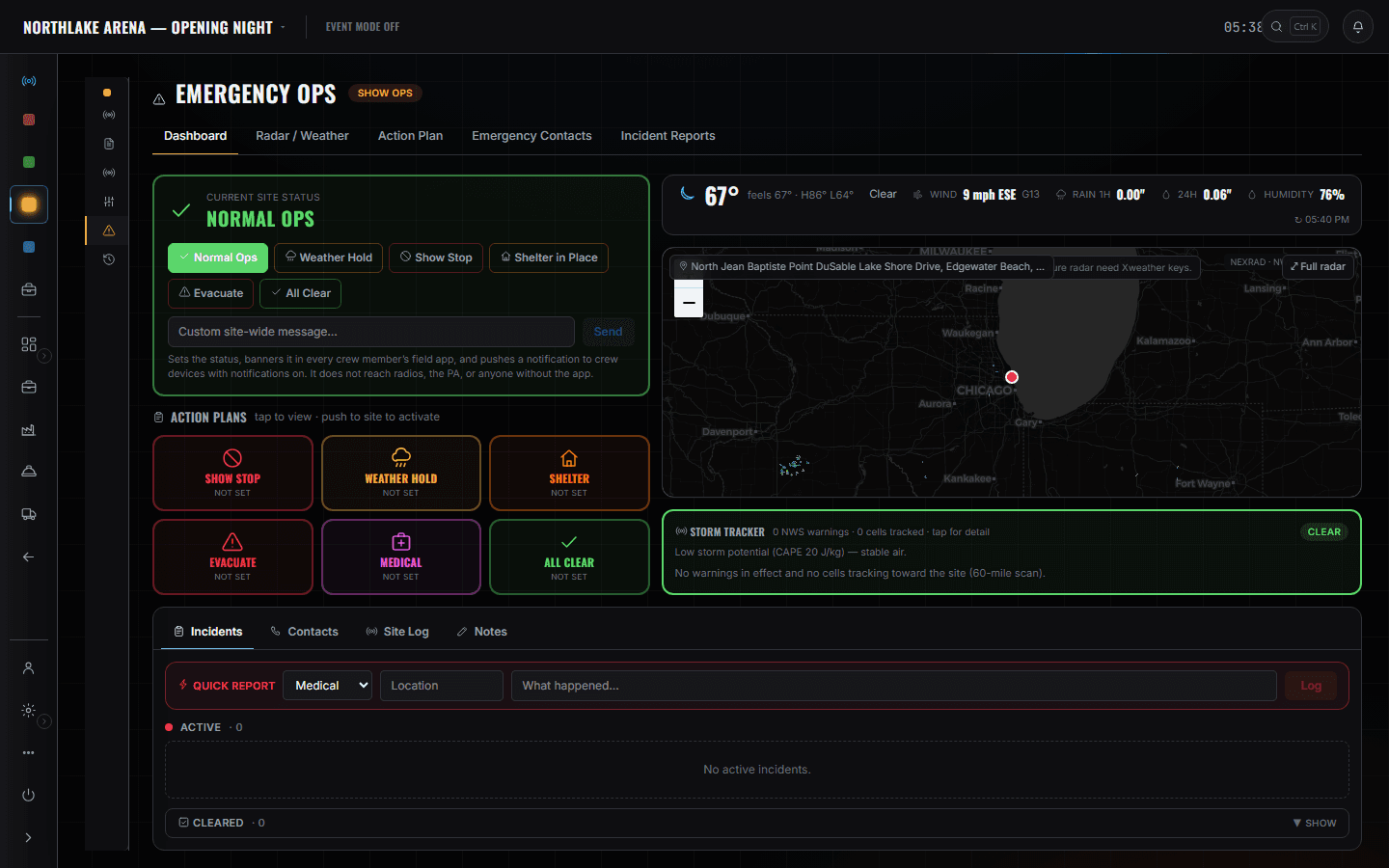
The boundary, before you find it yourself
Half of these are somebody else's screen and half of them are things this software does not do at all. Both are worth knowing now rather than at 16:00 on a load-in day.
The money
Rates, invoices and margin are on the same event record and none of it is your screen.
Firing cues on someone else's desk
One caller at a time is enforced in the database, not by etiquette. If you have the call, you have it.
A broadcast alarm
Emergency Ops is a plan and an incident record. Setting a status pushes a banner and a notification to the crew app — it is not a siren, and it never claims to be.
Load-in, show, load-out.
- Load-inRun of day open, retime the block when the truck is late instead of re-typing eight rows.Advance Ops · Schedules
- AfternoonCheck departments: sheets, crew in, tasks. Chase the two missing before soundcheck.Show Ops · Departments
- Pre-showWalk the rundown, fix the two segments that moved, tag the department that was missed.Show Ops · Edit Mode
- DoorsTake the call. The desk records that it is you.Show Ops · Show Call
- LiveStandby the room, then GO. The deck's phones follow the same pointer.Show Ops · Show Call
- If it goes wrongSet the site status. Every crew field app banners it; the incident goes on the log.Show Ops · Emergency Ops
- Load-outStrike order off the same schedule, so nobody is reading last week's print-out.Advance Ops · Schedules