Builds, materials and drawings on one sheet the shop can also read.
The scenic department's sheets are builds, plots, materials and notes. The build schedule turns them into dated rows with an owner and a status, so a deck that is not ready is visible before the department that needs it turns up.
Carpenter, charge hand, build lead or automation. Half your work happened in the shop weeks ago and the other half happens on a loading dock at six in the morning, and the two halves have to agree about what was actually built. Your dependencies are everyone else's start times.
- Your build is the thing other departments are waiting on
- Your materials list is a shop document and a site document at once
- A blocked item costs the whole load-in, not just your department
Build Schedule
/shows/[showId]/build
Every build item with a date, a time, an owner and a department, grouped by priority. Done, in-progress and blocked are states on a row — and the header carries the count, the percentage and the estimated time remaining rather than a vibe.
What this module does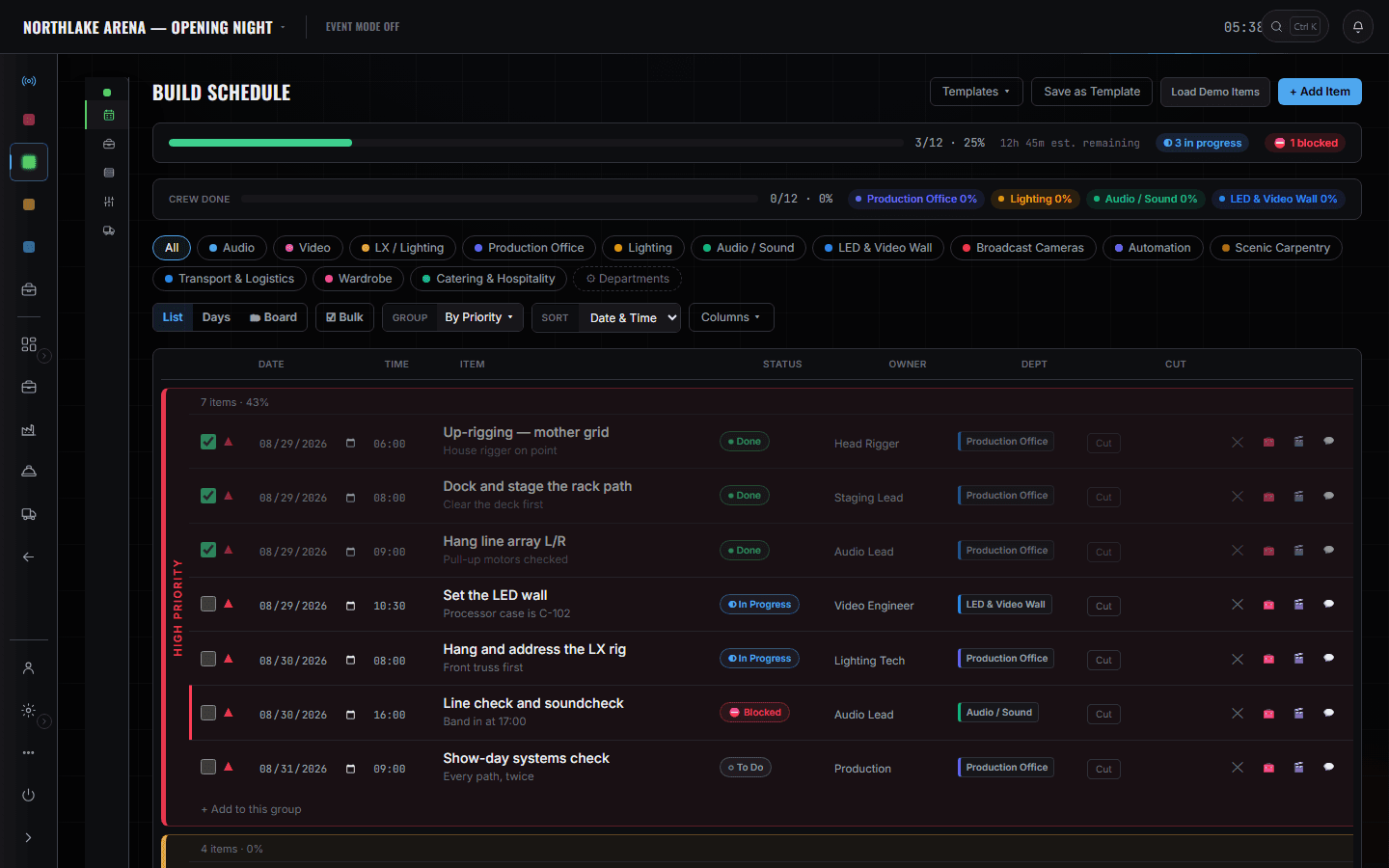
5 screens, and what each one is for.
Departments — Scenic
/shows/[showId]/departments
Builds, plots, materials and notes as your department's tabs, with the sheet count on the front of the card. Edits sync with Advance → Production, so the shop and the site read one document.
Read the module page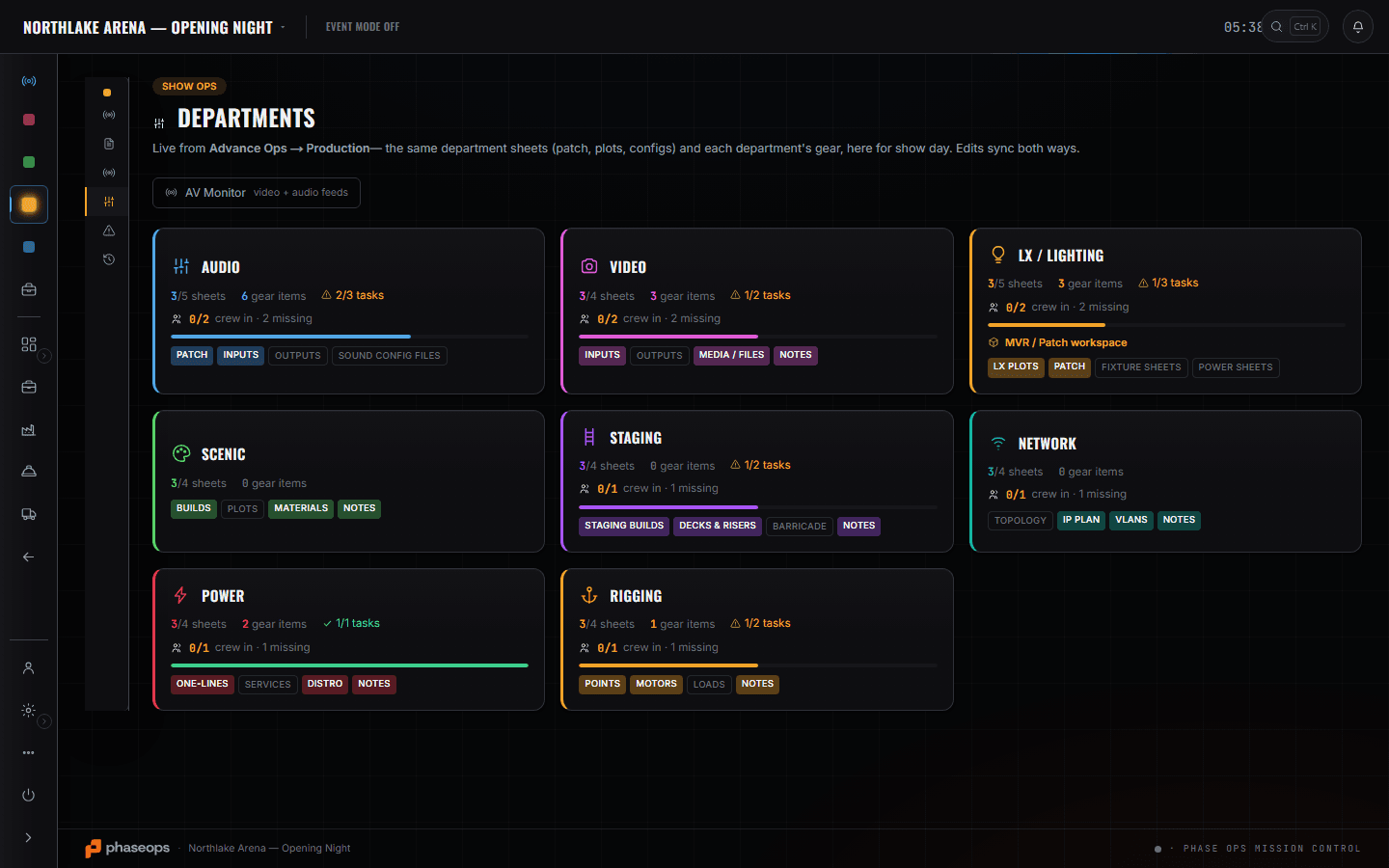
Show Ops — Edit Mode
/shows/[showId]/flow
Scenic carpentry is a department you can tag onto a cue — which matters on a show where a set move happens between two segments and somebody has to be told it is coming.
Read the module page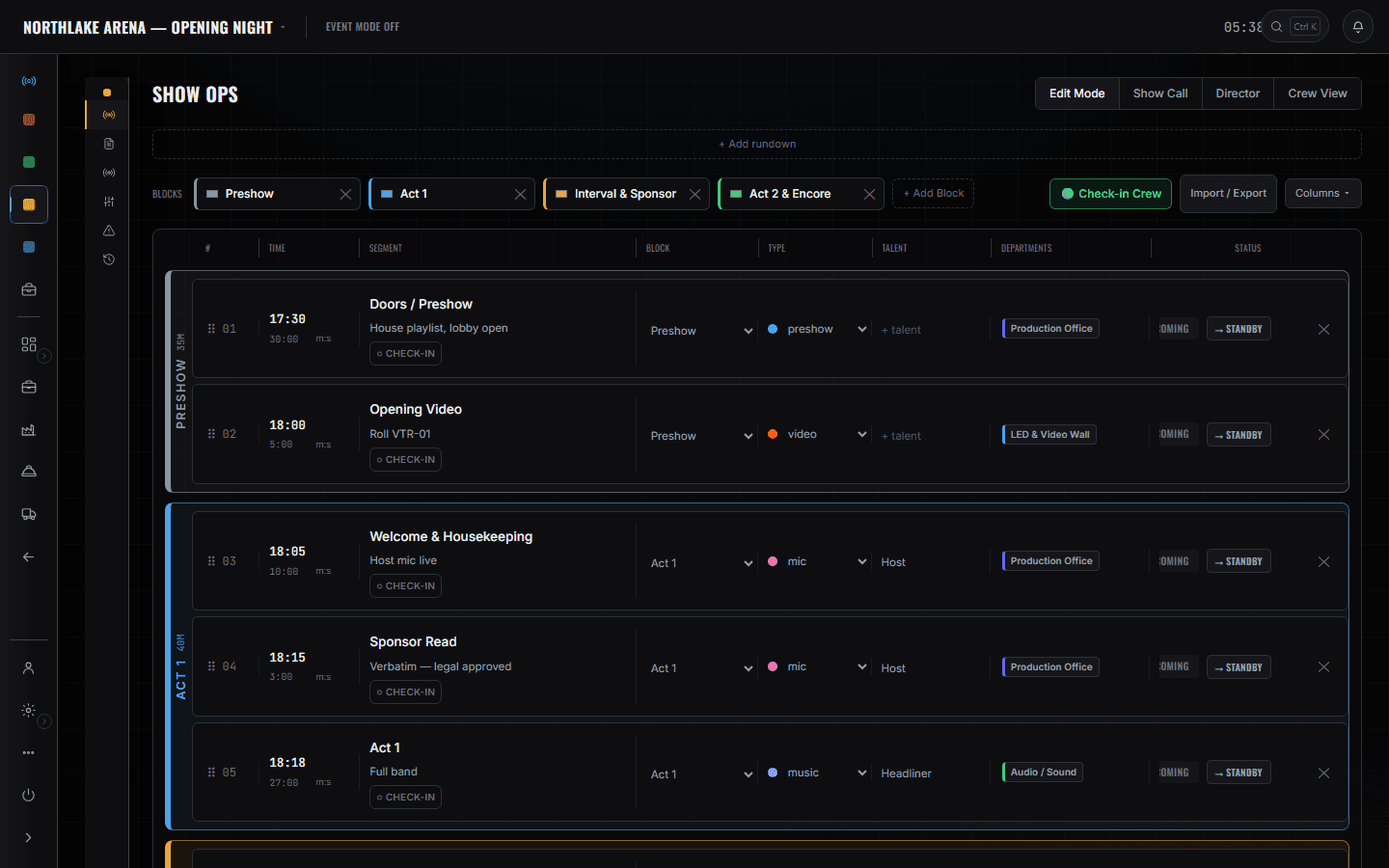
Gear List
/shows/[showId]/gear
Decks, risers, barricade and the rest as event lines with a pulled count, so the difference between 'we own it' and 'it is on the truck' is a number rather than an assumption.
Read the module page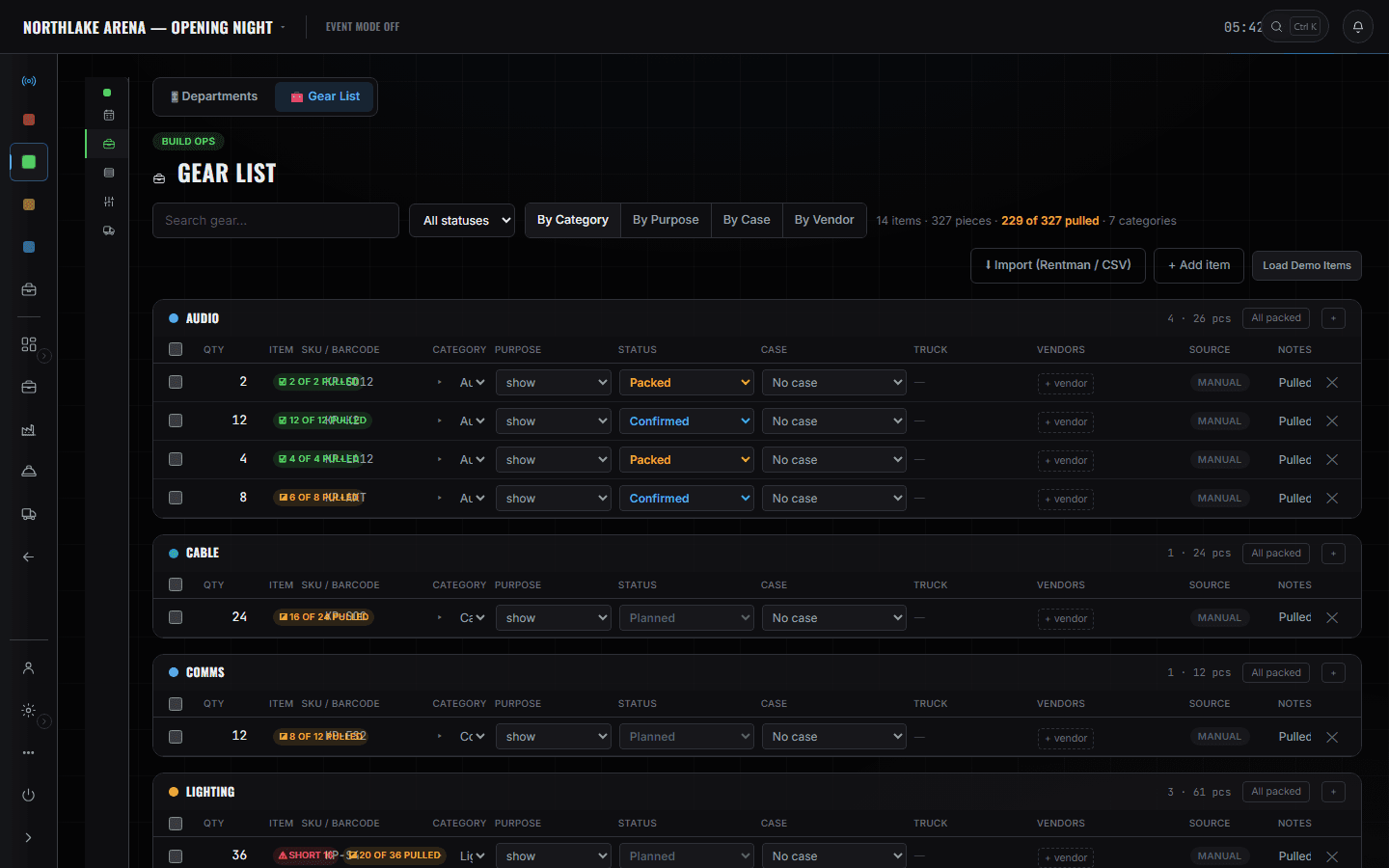
ShopOps pull sheet
/shows/[showId]/shop
Which cases are packed, on which truck, at which layer. Scenic goes on first and comes off first, and the pack layers are where that is recorded.
Read the module page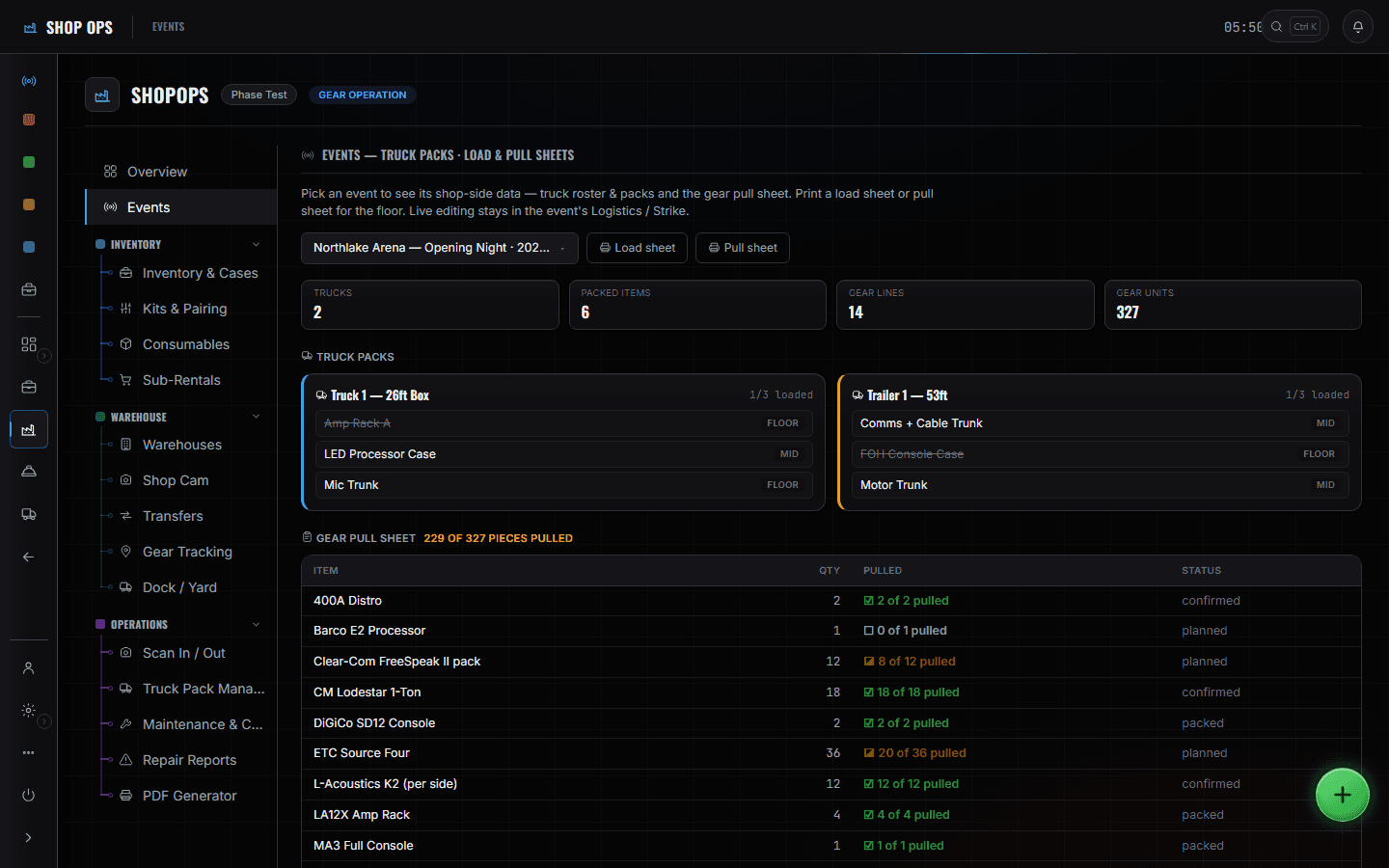
The crew phone
/crew/[showId]
Call times, meals and the load-in order for the people doing the building, with hotels on the same screen.
Read the module page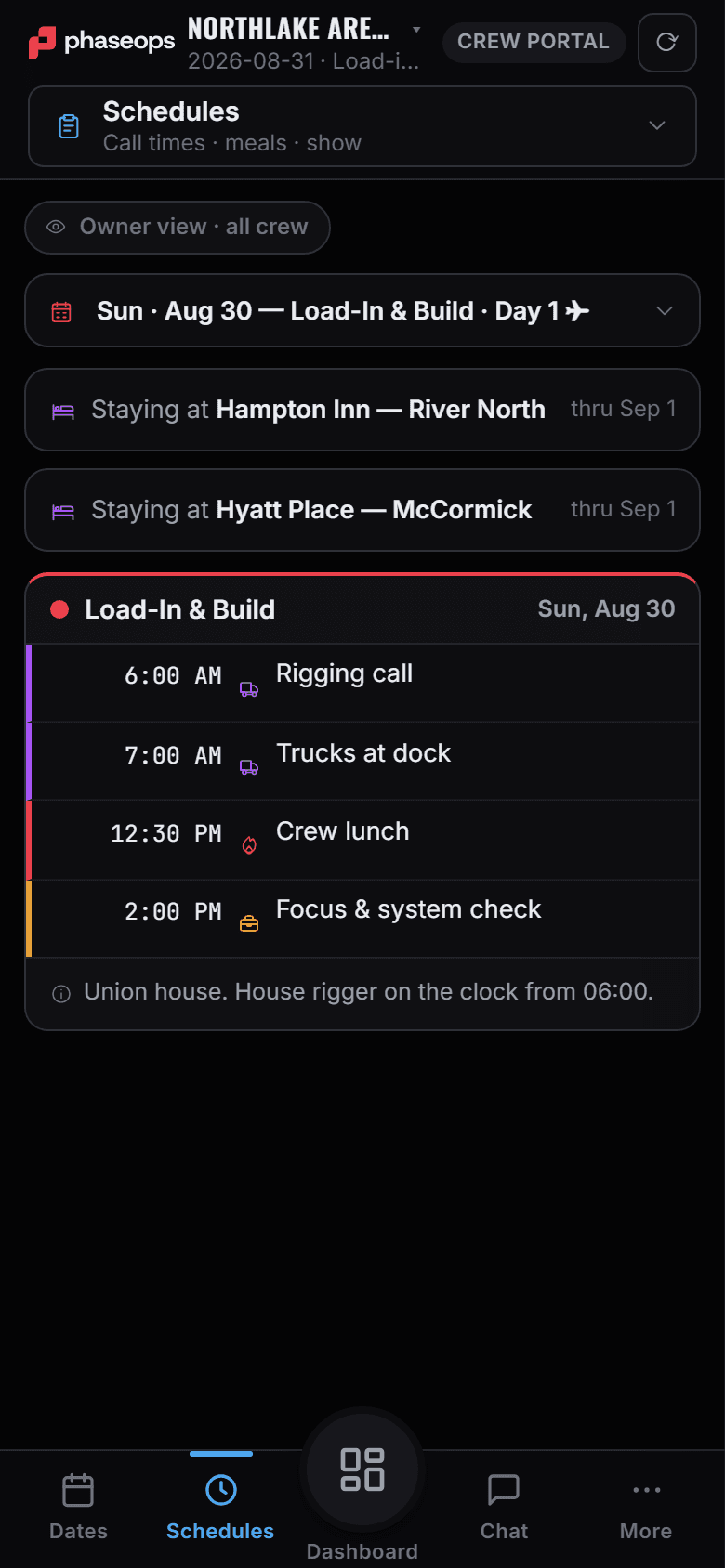
The boundary, before you find it yourself
Half of these are somebody else's screen and half of them are things this software does not do at all. Both are worth knowing now rather than at 16:00 on a load-in day.
Automation control
An automation tech is a seat on the call sheet here. Nothing in this product drives a winch, a track or a turntable.
CAD
Drawings are files attached to the event. There is no drafting tool in the department sheets.
The call
A tagged cue tells you a move is coming. It does not make it happen.
Load-in, show, load-out.
- In the shopMaterials and build notes onto the scenic sheet where the site copy reads from.Show Ops · Departments
- Load-out from the shopCases packed onto the truck in strike order — floor layer first.ShopOps · Truck Pack Manager
- Load-in, 06:00Dock and stage the rack path is your first row; it goes done when the path is clear.Build Ops · Build Schedule
- BuildDeck and risers up. The rows behind you unblock the departments waiting on them.Build Ops · Build Schedule
- Pre-showCheck in, read the day sheet, know when the set move is.Crew portal
- LiveScenic-tagged cues on the phone, so a move is not a surprise.Crew portal · Live
- StrikeReverse the pack. The layers say what comes off first.ShopOps · Truck Pack Manager